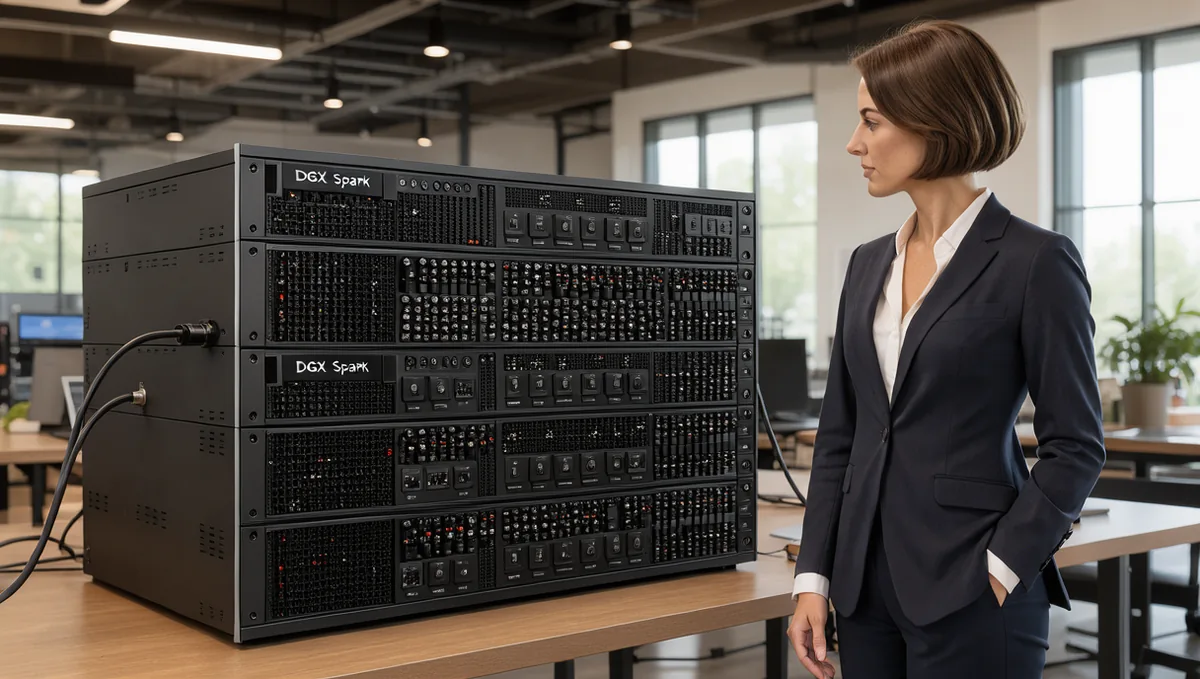
A four-unit DGX Spark cluster can now skip the switch: on October 22, 2026 NVIDIA announced official support for eight-node DGX Spark clusters and published benchmarks of switchless four- and eight-node rings next to switched builds. We run eight GB10 systems on a switch: four NVIDIA DGX Spark units and four MSI EdgeXpert units, joined by two MikroTik switches. Each GB10 workstation has exactly two QSFP ports, so in a ring of four or more each unit links only to its two neighbors, and that one fact decides when a ring is enough and when you need a switch. This post answers the question people ask first, whether a 4 DGX Spark cluster can run as a ring, and then the one they ask next: what changes at eight. Everything here comes from what NVIDIA documents, what owners report on the NVIDIA developer forum, and what we measured on our own fabric between August and September 2026, updated on October 26, 2026 with NVIDIA's eight-node ring and switch results.
We are Petronella Technology Group, Inc. We sell the 0.5 m QSFP112 cable that every GB10 cluster uses, one per node whether you build a ring or a switched fabric. The measurements below are ours. The fabric numbers are published with commands in our free GB10 cluster guide, and where a number comes from a single run we say so.
Node cables for any cluster size: from $159, free US shipping
DGX Spark cluster topology by node count: 2, 3, 4 and 8
- Two units: one cable, port to port. NVIDIA's "Connect Two Sparks" playbook, or our short guide to what cable you need to connect two DGX Sparks. One cable carries the full 200 Gb/s link when traffic uses both PCIe halves of the port, which NCCL does.
- Three units: three cables in a ring, each unit using both ports. Three nodes with three cables is a full mesh, so every pair has a direct link. This is NVIDIA's "Connect Three DGX Spark in a Ring Topology" playbook, and the largest ring in which every pair has a direct link. Our port-by-port ring wiring guide shows which cage each cable goes in.
- Four units: two choices, each with one cable per unit. A switchless ring, each unit's Port 0 to the next unit's Port 1, which NVIDIA's October 2026 testing calls the simplest, lowest-cost four-node inference setup; or one 200G-capable switch, NVIDIA's "Connect Multiple DGX Spark through a Switch" playbook.
- Five to eight units: still one cable per unit. NVIDIA announced official support for eight-node clusters on October 22, 2026 and recommends a switch to scale to eight; we run ours on two switches joined by a 200 Gb/s inter-switch link. NVIDIA also measured an eight-node ring, and it trailed the switch by about a quarter on decode.
NVIDIA's setup tool still draws the line lower: the Sync Cluster Assistant configures two or three units on direct cables and up to four through a switch, and NVIDIA says eight-node support in Sync is coming by the end of 2026. A four-node ring, or anything larger, is set up outside Sync today. The rest of this post explains what a ring can and cannot do, what a switch costs you, and what we learned when we crossed four and kept going to eight.
Wiring a ring? A three-unit ring needs three cables, one between each pair, and a switched cluster needs one per unit. We stock the 0.5m QSFP112 400G DAC, Amphenol NJAAKR-0006, in stock at $159 each with free US shipping, or $435 for the 3-pack. Ships in 1 to 3 business days.
Buy the 3-pack, $435 shipped or see single cables on the cable page.
Why four GB10 units cannot form a direct mesh
For every pair of four nodes to have its own cable, each node needs three links. A GB10 has two QSFP ports. Wire four units in a loop and each unit reaches its two neighbors directly, but the two units across the loop from each other share no cable. We tried exactly this before our first switch arrived: four units wired as four point-to-point links, and the two non-adjacent units had no route to each other.
That missing link matters more on a GB10 than it would on an ordinary server, because cluster traffic is RDMA over Converged Ethernet (RoCE), not plain IP. As a forum member explained on a six-node ring thread, RoCE needs directly connected interfaces from a layer 2 point of view. The owner on that thread confirmed it with raw ib_write_bw tests that bypassed NCCL and vLLM entirely: between any two nodes that were not physical neighbors, the RDMA connection failed at the verbs layer with "Failed to modify QP to RTR," even though IP routing between them worked.
There is a second, quieter cost. The ConnectX-7 connects to the GB10 chip over two PCIe Gen 5 x4 links, per NVIDIA's documentation, and both QSFP ports share them. One cable already carries the full link across its two PCIe halves: we measured 98.04 + 98.04 = 196.08 Gb/s on a single direct cable. In a ring, a node's two ports face two different neighbors, and anything relayed for a non-adjacent pair has to share that same budget with the node's own traffic. The eight-node question makes this sharper still: a switchless ring of eight would leave 20 of its 28 node pairs without a direct link.
What owners have tried with switchless four-node and larger rings
Three NVIDIA developer forum threads are worth reading before you decide. We summarize them without adding claims of our own.
- "4-node DGX Spark cluster without a switch" (thread 368726). The proposal was to avoid switch latency by building a true four-node full mesh out of optical splitting or H-shaped 2 x 200G cross-connect cables. The thread did not produce a tested build, and one participant noted the cross-connect cables cost more than a switch.
- "6-Node DGX Spark Ring Topology: NCCL Fails on Non-Adjacent Node Pairs" (thread 377435). Six units in a switchless ring, neighbors working, non-adjacent pairs failing at the RDMA layer. The owner got all six connected by combining
NCCL_IB_MERGE_NICS=0with subnet-aware routing from a patched NCCL build, and reported a throughput gain of only about 7 percent. - "4 Sparks with switch vs ring?" (thread 383218, September 2026). The asker could not find a MikroTik CRS804 in stock. The reply: a switch gives every Spark a direct 200 Gb/s path, a ring adds hops for non-adjacent traffic, and a switch is still the recommendation for more than two Sparks.
So a four-node ring is not a full mesh, and software that tries to open a connection between non-neighbors fails. Through September 2026 that made a switchless four-node ring a research project. NVIDIA's October 22, 2026 results changed the practical answer: NCCL's ring all-reduce only passes data between neighboring ranks, and with NCCL pinned to that algorithm a four-node ring runs tensor-parallel inference cleanly. The setup tool NVIDIA links, eugr's spark-vllm-docker networking guide, now configures closed rings of four or more with NCCL forced to its ring algorithm and subnet-aware routing, and it reports physical validation on four nodes. The limits are real but narrow: the whole ring runs as one tensor-parallel group, partial rings and mixed parallel layouts are rejected, and anything that needs any-to-any traffic still needs a switch.
What NVIDIA measured on four- and eight-node rings (October 2026)
NVIDIA's developer blog post Running Frontier-Class AI Models Across 8 NVIDIA DGX Spark Nodes, published October 22, 2026, is the first vendor data on switchless rings past three. It ran Qwen3.8-27B in NVFP4 at concurrency 1, 8,192 input and 256 output tokens, on every topology. Single-stream decode in tokens per second:
- One node: 11.86. Two nodes on one direct cable: 21.71.
- Four nodes in a switchless ring: 32.82. Four nodes on a switch: 36.34.
- Eight nodes in a switchless ring: 40.11. Eight nodes on a switch: 52.58.
The switch rows use ROCEnante, a Spark-optimized collective backend NVIDIA merged into FlashInfer, which needs a direct path between every pair of nodes and so runs only on a switch. At four nodes the ring gave up about 10 percent of decode against the switch and saved the switch, the breakout cables and their configuration. At eight the gap grew to about 24 percent. NVIDIA's own summary: reach for a switchless ring when you want the simplest, lowest-cost four-node inference box, and choose a switch when you need to scale up to eight nodes, split the cluster, or run communication patterns a ring cannot serve. These are NVIDIA's numbers on a dense 27B model; we have not rebuilt a four-node ring on our own units, and our switched results below are on different models.
What a switch actually costs in bandwidth
The fear behind most ring questions is that a switch will slow the fabric down. On our hardware it barely does. These are ib_write_bw results from our guide's validation matrix:
- Direct cable, one PCIe half: 111.86 Gb/s.
- Direct cable, both halves at once: 98.04 + 98.04 = 196.08 Gb/s.
- Through a MikroTik CRS812, one PCIe half, DGX Spark pair: 109.11 Gb/s. The switch costs about 0.75 Gb/s per half, 0.7 percent.
- Through the switch, both halves: 98.0 + 98.0 = 196 Gb/s per node, with no PFC and no ECN configured.
- Across two switches over the 200G inter-switch link, one flow: 109.08 Gb/s, no measurable penalty for the extra hop.
- Three pairs at once, with the inter-switch link carrying traffic in both directions: 109.19 + 109.10 + 109.14 = 327.4 Gb/s aggregate.
When the seventh and eighth units joined the second switch in September 2026, each measured 109.03 and 109.14 Gb/s on its first ib_write_bw run, the same per-half figure as the original six. A switch is not where a GB10 cluster loses performance. As the sections below show, the losses are in software, memory and collective settings.
What NVIDIA's switch playbook requires
NVIDIA's "Connect Multiple DGX Spark through a Switch" playbook is short, and it answers most of the questions people post after the fact:
- Switch: "QSFP switch with at least 4 QSFP56-DD ports (at least 200Gbps each)." If the switch has 400G ports, breakout cables can split each one into two 200G ports.
- Cables: one cable per Spark. "Full bandwidth can be achieved with just one QSFP cable."
- Same port everywhere: use the same ConnectX-7 port on every Spark "for easier network configuration and avoiding NCCL test failures."
- Check the speed: "The link speed might not default to 200Gbps with auto-negotiation." Run
sudo ethtoolon the fabric interface of every node; if it reads 100000Mb/s, set 200G manually on the switch port and turn auto-negotiation off. - One bridge: put every Spark-facing port in a single bridge, because "some switches have restriction that Hardware offloading can only be enabled on one bridge."
- Keep management separate: use the RJ45 Ethernet or Wi-Fi for management and internet, and keep the ConnectX-7 network for workload traffic.
Inside our eight-node DGX Spark cluster: hardware and wiring
The cluster is eight GB10 systems: four NVIDIA DGX Spark units and four MSI EdgeXpert MS-C931 units. All eight report about 121.7 GiB of unified memory to the operating system (one DGX Spark reports 119.67 GiB), and all eight are the same sm_121 GPU architecture. Brands mix freely: a DGX Spark pair measured within 0.1 Gb/s of an MSI pair on the fabric, and within the noise of it on model serving.
The switches are two MikroTik CRS812-8DS-2DQ-2DDQ-RM units, run on RouterOS 7.24.1 at build time. Each has 2 x 400G QSFP56-DD, 2 x 200G QSFP56, 8 x 50G SFP56 and 2 x 10G RJ45 ports. Each QSFP56-DD port breaks out to two 200G legs, so one switch serves four nodes on breakouts. Our layout:
- Switch one: the four MSI units, on both QSFP56-DD ports broken out to 2 x 200G each.
- Switch two: the four DGX Spark units, the same way.
- Inter-switch link: one 200G direct-attach cable between a native QSFP56 port on each switch.
- Per node: one 0.5 m QSFP112 cable from the node's QSFP port into one leg of a breakout cable. Each node's single cage exposes two PCIe halves as two network interfaces, and both ride that one cable.
We built the fabric for eight from the start and populated six. Because the second switch's spare breakout lanes had already been forced to 200G, the seventh and eighth units plugged in with no switch change at all. The work that did take time was on the hosts: static addresses on both fabric planes, MTU 9000, no default route on the fabric, and then bringing all eight units to the same kernel, NVIDIA driver and Ubuntu release so that one build did not behave differently from the rest. That last step turned out to matter more than anything on the switch, for reasons covered under failure modes below.
For the switch configuration itself, three settings decided whether it worked, and each one cost us a session. Our switched-fabric write-up and the guide's switch document have the full RouterOS configuration:
- Force the breakout speed. The QSFP56-DD ports do not auto-negotiate 2 x 200G. Set
auto-negotiation=no speed=200G-baseCR4on the lane-master interfaces (lanes 1 and 5 of each DD port). The legs came up at 200 Gbps with FEC91 within about ten seconds. - Jumbo frames on the switch ports. Set
l2mtu=9216 mtu=9000on every fabric port and on the inter-switch link, not only on the hosts, and prove it end to end withping -M do -s 8972. - One hardware-offloaded bridge. When we put the fabric in a second bridge, the switch CPU forwarded it and throughput fell from 196 Gb/s to 4.85 Gb/s. Back in one bridge with hardware offload on, it returned to line rate.
Two switches add a fourth trap. If both switches also uplink to your office or data center network for management, you have a layer 2 loop, and spanning tree will block the inter-switch link. Fabric traffic between the switches then detours through the management network: our cross-switch RDMA measured 4.47 Gb/s until we raised the spanning tree cost of the second switch's management uplink so that its only active path became the 200G link. Cross-switch RDMA then measured 109.08 Gb/s.
Parts list: four nodes, eight nodes, and the switchless ring
Every build uses the same node cable: the 0.5 m QSFP112 passive DAC built to the NVIDIA-approved Amphenol NJAAKK0006 / Luxshare LMTQF022-SD-R specification. It is rated 400G and links at 200G on every GB10. Prices below are ours for the cable and what we paid for breakouts; switch pricing changes, so check it with MikroTik directly.
Three nodes, switchless ring
- Three node cables: the 3-pack ring kit, $435.
- No switch, no breakouts. Fabric total: $435.
Four nodes, switchless ring
- Four node cables: the 4-pack four-node ring kit, $568.
- No switch, no breakouts. Each unit's Port 0 goes to the next unit's Port 1, and the last unit closes the ring back to the first. Fabric total: $568.
Four nodes, one switch
- Four node cables: two 2-packs at $299 each, $598.
- Two QSFP56-DD to 2 x QSFP56 breakout cables, one per DD port. We used NADDOD Q2Q56-400G-CU1, MikroTik-coded, at $138 each.
- One 200G-capable switch, such as the MikroTik CRS812-8DS-2DQ-2DDQ-RM or CRS804 DDQ.
- Fabric total in cables and breakouts: $874, plus the switch.
Eight nodes, two switches (what we run)
- Eight node cables: four 2-packs at $299 each, $1,196.
- Four breakout cables, two per switch: 4 x $138 = $552.
- One 200G direct-attach cable for the inter-switch link. MikroTik does not vendor-lock DACs, so we reused a spare QSFP112 cluster cable; budget about $159 if you buy one, and a longer QSFP56 DAC if the switches are not adjacent.
- Two switches.
- Fabric total in cables and breakouts: $1,748 to $1,907, plus the two switches.
Two items we now recommend for anyone racking GB10 units: a switched PDU with per-outlet control, because the units have no BMC and a wedged unit needs a power cycle, and an ordinary copper switch for the RJ45 management ports. Note that the cables move with you. A three-node ring's cables become three of the four in a four-node ring, or go straight onto a switch, and a four-node switch build's cables and breakouts carry over unchanged when you add a second switch.
Eight node cables: four 2-packs, $1,196 shipped
NCCL and RoCE setup notes for a multi-node DGX Spark cluster
Every rank in our cluster runs vLLM in a container with NCCL over RoCE. A two-node recipe that works will not necessarily work at eight. These are the settings that mattered, each one found by a failure:
- Pass the RDMA devices into the container. After a system update our containers stopped seeing
/dev/infiniband, and NCCL died with "Failed to initialize any NET plugin" while host RDMA tested fine, which made it look like an application bug. Add--device /dev/infiniband --cap-add IPC_LOCK --ulimit memlock=-1, and raise the file limit with--ulimit nofile=1048576: six-rank NCCL exceeded the default 1,024 open files. - Set
NCCL_NET=IBexplicitly, and keep the fabric on one plane with a matching address range. Using both PCIe halves as two NCCL devices measured 1.00x on decode against one device in a pair test, because decode all-reduce messages are small and latency-bound. An earlier four-unit test showed about 9 percent more prefill with both devices; we have not measured that at eight. - Do not hard-code the RoCE GID index. Our two newest units carried a stray DHCP lease and an extra IPv6 link-local address on their fabric interfaces, which shifted the GID table, so index 3 pointed at the wrong address on two of eight nodes and queue pair setup failed with "Invalid argument." On NCCL 2.30.7, dropping
NCCL_IB_GID_INDEXand settingNCCL_IB_ADDR_RANGEto the fabric subnet withNCCL_IB_ROCE_VERSION_NUM=2let NCCL choose correctly. An older NCCL 2.30.4 image ignored the address range and needed the index passed per node. The durable fix is to disable DHCP and link-local addressing on the fabric interfaces. - Cap the channels at eight ranks. At eight ranks, each rank registered about 7,680 memory regions, and three of the eight lost the race and failed
ncclCommInitRankwith "Cannot allocate memory." SettingNCCL_MAX_NCHANNELS=8andNCCL_IB_QPS_PER_CONNECTION=1fixed it and, unexpectedly, made serving 66 percent faster on the same model: 545.2 against 327.6 tokens per second at 32 concurrent streams, because less collective overhead and freed buffer memory grew the key-value cache from 2.32 million to 3.84 million tokens. On the GLM models,NCCL_CUMEM_ENABLE=1on NCCL 2.30.7 cleared the same registration failure. - Stay at or below 32 concurrent sequences per engine. Values of 64, 128 and 256 all failed to start at eight ranks with the same registration error, because NCCL's registered buffers scale with the sequence budget.
- Leave memory headroom. A
--gpu-memory-utilizationof 0.85 was rejected outright and 0.80 passed the check, then was killed while building the cache. We serve in the 0.65 to 0.75 band. On GB10 unified memory, a high utilization setting is not free headroom. - Tensor parallel needs a divisor. The model's attention heads, experts and expert dimensions must divide by the number of ranks. Six ranks failed outright on our first model with "16 is not divisible by 6." Every model we ran at eight divided cleanly, which is one reason to grow from four to eight rather than to six.
One setting outside NCCL saves hours: when copying model weights between units, check that SSH compression is off. With Compression yes in an SSH config, host-to-host copies ran at 51 MB/s; with -o Compression=no the same copy ran at 1,034 MB/s, and 156 GB moved in 4 minutes 14 seconds. Do not test this path with /dev/zero, which compresses to nothing and reports a healthy number.
What eight GB10s can run that four cannot
A GB10 unit reports about 121.7 GiB of memory. At startup about 112 GiB of it was free for the engine, and roughly 6 GiB more went to engine overhead and activations before a single token of cache. That puts the practical ceiling for a four-unit cluster at about 400 GiB of model weights. Eight units roughly double it. That is the whole case for eight, and we tested it on two models that four units cannot hold:
- GLM-5.3, the full model in NVFP4 (432.9 GiB, 57 files): serves on eight, and only on eight. On eight units it loaded 54.55 GiB of weights per unit and left room for a 545,536-token cache. It passed our four-question correctness check. It served 15.1 tokens per second to a single user and 155.1 tokens per second aggregate at 32 concurrent streams, with median time to first token between 0.34 and 1.66 seconds up to 32 streams. That is one run on 24 September 2026, with FlashInfer autotuning disabled because it hung on this hardware, so the expert layers ran default kernels and the numbers may understate it. On four units the same model would need about 108 to 116 GiB of weights per unit against about 106 GiB of usable budget, so it does not fit. We did not launch that attempt; the determination comes from memory measured on our four-unit group.
- DeepSeek-V4.1-Flash in NVFP4 (492 GiB): loads on eight, then stops at a missing kernel. On four units it would need about 123 GiB per unit, more than a GB10 physically has. On eight, every rank loaded its 38.54 GiB share and the NCCL group formed. Then the sparse attention decode kernel refused to dispatch on all eight ranks: it requires a page block size of 64, and this vLLM build resolves 32 on the GB10's sm_121 architecture. Memory held at 32 to 33 percent available throughout. It is an upstream kernel gap, not memory, not the fabric and not configuration, and no setting we could change today makes it serve.
So the honest summary is that eight units give you access to a class of model that four cannot hold, as long as the model's kernels support sm_121. Check that before you buy the second four units for one specific model.
Is an eight-node DGX Spark cluster faster? Pairs vs four vs eight
This is the result that surprised people we showed it to. On 23 September 2026 we ran the same model, the same checkpoint and the same harness on two, four and eight units: Qwen3.8-Flash-Next in NVFP4, a mixture-of-experts model with about 126 GB of weights, 256 output tokens per request, a distinct prompt per request so caching could not flatter the result.
- Two units: 33.1 tokens per second for one user, 299.9 aggregate at 32 streams, or 150 per unit.
- Four units: 44.4 for one user, 426.6 aggregate at 32 streams, or 107 per unit.
- Eight units: 47.5 for one user, 537.6 aggregate at 32 streams, or 67 per unit.
Going from four units to eight added 26 percent to aggregate throughput and 7 percent to single-user speed. Doubling the hardware bought far less than double the speed. The same eight units run as four independent pairs would total about 1,200 tokens per second by arithmetic from the measured pair, 2.2 times one eight-unit group. That figure is a projection, not a measurement, and four pairs serve four copies of a model that must fit a pair, not one larger model.
Eight units do earn something on this model beyond capacity. Under load they stayed responsive: at 48 concurrent streams, the slowest 5 percent of requests waited 14.0 seconds for a first token on eight units against 26.9 seconds on the pair. And users served at a comfortable reading speed roughly doubled with each doubling of the cluster: about 4 users near 30 tokens per second each on a pair, 8 on four units and 16 on eight. The eight-unit figure reproduced within 1.4 percent of a run the previous day (537.6 against 545.2).
Our conclusion, and the recommendation we give clients: an eight-unit DGX Spark cluster is for capacity, not speed. If your model fits on two units, several independent pairs deliver the most throughput per dollar. Build one group of eight when the model you need does not fit on four, or when you need one endpoint to hold latency down for many concurrent users. The pod reconfigures between four pairs and one group of eight in about 11 minutes, so this is a scheduling decision, not a wiring one: the same switched fabric serves both. The fuller scaling data, including single-unit results, is on our LLM benchmark page.
Failure modes we hit going from four to eight
None of the hard failures were on the switch or the cables once the fabric was validated. They were in configuration drift, memory accounting and kernels. In the order they cost us time:
- One unit that was not like the others. Six attempts to load a large model across eight units failed, always on the same unit first, and were diagnosed as memory exhaustion. The real cause was configuration drift on that one unit: it ran an out-of-memory daemon that none of the others ran, and it had no swap at all while the others carried 16 to 32 GiB. We set all eight to the same 16 GiB. The daemon sent SIGTERM to the model worker at 10 percent free memory, so the worker died without a Python traceback, and because the daemon runs in userspace it logged to the system journal, not the kernel log, where every out-of-memory check came back clean. After we brought all eight units to identical swap and removed the daemon, the memory problem disappeared. Check parity on every node before you trust any multi-node benchmark: kernel, driver, swap, and any memory-killing service.
- Launch scripts that erased their own evidence. Our launcher removed the previous container before starting a new one, and our memory guard removed a container the moment memory ran low, so each failure deleted its own log. Dump the container logs before you remove a container. That one change turned a two-session dead end into a same-morning diagnosis.
- Page cache that looks like free memory. After copying a large model, the available-memory figure looked healthy while actual free memory was a few GiB, and NCCL initialization failed with a CUDA out-of-memory error. On GB10 unified memory, watch free memory rather than available memory, and drop the page cache immediately before launch.
- Kernels built for datacenter Blackwell. GLM-5.3-Flash first failed on an assertion that a DeepGEMM attention kernel supports only architecture major version 10, the datacenter Blackwell parts. The GB10 is sm_121. We initially wrote this up as a hardware limit. A published community recipe for GLM-5.3-Flash on DGX Spark, from Alex Ellis, showed the way around it: the Marlin mixture-of-experts backend and an explicit FP8 cache type avoid that kernel path. It served within the hour. The lesson: search for a working community recipe before you conclude the hardware cannot do it.
- Kernel autotuning that hangs. On the full GLM-5.3, FlashInfer's autotuning step hung on one rank with the other seven waiting in an all-reduce. Disabling autotuning let it serve.
- The upstream kernel gap on DeepSeek-V4.1-Flash, described above. After the parity fixes removed every memory symptom, the real blocker was a decode kernel that needs a block size this build cannot produce on sm_121.
The pattern across all six: when a multi-node GB10 job fails, suspect the node that differs from the rest, then the kernel, and only then the fabric. The fabric was the most reliable part of this build once it passed validation.
Our recommendation, from two units to eight
If you have two units, use one cable. If you have three, build the ring: it is fully supported, it needs three cables and no switch, and every pair has a direct link. If you have four, you now have a real choice. A four-node ring costs four cables and nothing else, and NVIDIA measured it within about 10 percent of a switch on single-stream decode; build it if the four units will run one model as one tensor-parallel group. Buy a switch if you want to split the four into pairs, run mixed parallel layouts or any-to-any workloads, or expect to grow past four: the switch penalty we measured is under one percent, and the ring's cables move onto the switch unchanged.
If you are considering eight, decide first which model you need. If it fits on two or four units, buy for pairs and run them independently; that is the best throughput per dollar we measured. If it needs more than about 400 GiB of weights and its kernels support sm_121, eight units on two switches will hold it, at single-user speeds in the teens of tokens per second for the largest models. Plan the fabric for eight from the first switch so the later units plug in without a switch change, and budget time for node parity, not just cabling.
Whichever size you build, prove the fabric before you trust it. Run ib_write_bw one PCIe half at a time and expect about 109 to 112 Gb/s per half, and about 196 Gb/s with both halves running. If a brand-new link is far below that, power the units fully off and unplug them for a minute, which forum owners report clears a first-plug slowdown, then update the OS and firmware on every node.
Frequently asked questions
Can you cluster four DGX Sparks without a switch?
Yes, for tensor-parallel inference. Wire a closed ring, each unit's Port 0 to the next unit's Port 1, four cables in all, and pin NCCL to its ring algorithm so it only talks to neighbors. NVIDIA's October 22, 2026 benchmarks measured a four-node ring at 32.82 tokens per second of single-stream decode on Qwen3.8-27B NVFP4, against 36.34 on a switch, and call it the simplest, lowest-cost four-node inference setup. Splitting the cluster, mixed parallel layouts and any-to-any traffic still need a switch.
What switch do I need for four DGX Sparks?
NVIDIA's switch playbook calls for a QSFP switch with at least four QSFP56-DD ports of at least 200 Gb/s each, one cable per Spark, and optional breakout cables that split a 400G port into two 200G ports. Petronella Technology Group, Inc. uses the MikroTik CRS812-8DS-2DQ-2DDQ-RM, which serves four nodes on its two QSFP56-DD ports broken out to 2 x 200G each.
How do you connect eight DGX Sparks?
We use two MikroTik CRS812-8DS-2DQ-2DDQ-RM switches, four units on each through both QSFP56-DD ports broken out to 2 x 200G, and one 200G cable between the switches. Each unit needs one 0.5 m QSFP112 node cable, so eight units need eight node cables, four breakout cables and one inter-switch cable. NVIDIA announced official support for eight-node DGX Spark clusters on October 22, 2026 and recommends a switch at eight.
How much bandwidth does a switch cost a DGX Spark cluster?
Very little. We measured 109.11 Gb/s per PCIe half through a MikroTik CRS812 against 111.86 Gb/s on a direct cable, about 0.7 percent, and 196 Gb/s per node with both halves running. Crossing a second switch over a 200G inter-switch link measured 109.08 Gb/s, with no PFC or ECN tuning.
Is an eight-node DGX Spark cluster faster than four?
Only a little. On the same model and harness, eight units reached 537.6 tokens per second aggregate at 32 streams against 426.6 on four, 26 percent more, and 47.5 against 44.4 tokens per second for a single user, 7 percent more. The reason to build eight is capacity: models above about 400 GiB of weights that four units cannot hold.
What can eight DGX Sparks run that four cannot?
Models larger than about 400 GiB of weights. The full GLM-5.3 in NVFP4, a 432.9 GiB checkpoint, served on our eight units at 15.1 tokens per second for one user and 155.1 aggregate at 32 streams in a single measured run, and it does not fit on four. DeepSeek-V4.1-Flash at 492 GiB loads on eight but does not serve yet, because of a missing decode kernel for the GB10's sm_121 architecture.
Are four DGX Spark pairs better than one eight-unit cluster?
For total throughput, usually yes, if the model fits on a pair. A measured pair reached 299.9 tokens per second at 32 streams, so four pairs would total about 1,200, roughly 2.2 times one eight-unit group. That total is arithmetic from the measured pair, not a measurement, and four pairs run four separate copies of a smaller model.
How many cables does an eight-node DGX Spark cluster need?
Eight node cables, one per unit, plus four QSFP56-DD breakout cables and one 200G inter-switch cable on a two-switch MikroTik CRS812 build. The eight node cables cost $1,196 as four 2-packs of our 0.5 m QSFP112 cluster cable, with free US shipping; the fabric total in cables and breakouts is $1,748 to $1,907 plus the switches.
Why does my DGX Spark link only show 100G through the switch?
NVIDIA's switch playbook notes that auto-negotiation may not default to 200 Gb/s. Check with ethtool on every node, and if it reads 100000Mb/s, set the switch port to 200G manually with auto-negotiation off. On a MikroTik CRS812 breakout port this means forcing 200G-baseCR4 on the lane-master interfaces.
Get the cables, or get help with the build
Our 0.5 m QSFP112 cluster cable is in stock and fits every GB10 workstation, including the MSI EdgeXpert and DGX Spark units in our own cluster, the ASUS Ascent GX10, HP ZGX Nano, Lenovo ThinkStation PGX, Gigabyte AI TOP ATOM, Acer Veriton GN100 and the Dell Pro Max, and brands mix freely in one cluster. A single cable is $159, a 2-pack is $299 and the 3-pack ring kit is $435, with free shipping to US addresses and shipping in 1 to 3 business days; the ring kit and bundle page has the quick specs. For five or more cables, a purchase order, or help mapping ports, breakouts and switches for a four-node or eight-node build, call Penny at 919-348-4912 or use the quote form on the DGX Spark cluster cable page. The background on why the cable says 400G and the link runs at 200G is in our bandwidth explainer, and organizations that need the whole stack sourced and configured can start with our private AI services.
Buy DGX Spark cluster cables, free US shipping
Sources: NVIDIA, Running Frontier-Class AI Models Across 8 NVIDIA DGX Spark Nodes, October 22, 2026 (eight-node support, four- and eight-node ring and switch results); eugr, spark-vllm-docker networking guide (closed-ring setup and limits); NVIDIA, Connect Multiple DGX Spark through a Switch (switch requirements, same-port rule, link speed check, single bridge); NVIDIA DGX Spark User Guide, ConnectX-7 networking (two PCIe Gen 5 x4 links, three direct and four switched); Petronella Technology Group, Inc., GB10 cluster guide (fabric measurements, switch configuration, bill of materials); Petronella Technology Group, Inc. benchmark result files, 22 to 24 September 2026 (two, four and eight unit scaling, GLM-5.3 and DeepSeek-V4.1-Flash results); NVIDIA developer forum threads 368726, 377435 and 383218.
Reference build sheets, a hardening checklist for open-weight model hosting and a data-sovereignty map for running AI on your own hardware.
Get the free guide