
ROCK SOLID ON NVIDIA SPARK DGX
Douglas R. ✓ Verified buyer October 2026
Buy the DGX Spark stacking cable here: it is a 0.5m QSFP112 400G passive DAC, Amphenol NJAAKR-0006, in stock at petronellatech.com for $159 with free US shipping, and orders ship in 1 to 3 business days. Two Sparks need one cable, and a switchless three-Spark ring needs three; the 3-pack is $435.
Need a PO or invoice for 5+ cables? Send the quantity and ship-to address through our cable quote form or call (919) 348-4912, and we send a Stripe invoice for your PO. Payment is due in full before the cables ship.
Outside the US? Checkout ships to US addresses only. Request a quote and we will reply with shipping options.
Read the Cable FAQVerified buyer reviews
5.0 out of 5 from 2 verified buyers. Every rating below is tied to a paid order; buyers receive a personal review link by email after delivery.
ROCK SOLID ON NVIDIA SPARK DGX
Douglas R. ✓ Verified buyer October 2026
My Ring cable kit is working fine, I should have purchase 4 instead of 3.
Larry P. ✓ Verified buyer September 2026
To cluster two NVIDIA DGX Spark units, or any GB10 Grace Blackwell workstation, you need one 0.5m QSFP112 400G passive DAC cable plugged into the QSFP112 port on each machine. It is the single cable NVIDIA calls out in its Spark Stacking documentation (Amphenol NJAAKK0006 / Luxshare LMTQF022-SD-R spec), sold at retail as the NVIDIA DGX Spark Stacking DAC Cable, QSFP/CX7, and because every GB10 system shares the same ConnectX-7 NIC, this one cable fits the DGX Spark Founders Edition and every OEM build alike. Petronella Technology Group, Inc. sells it at $159 with free US shipping, in stock, shipping in 1 to 3 business days. Prices and stock at other sellers change week to week, so compare ship dates as well as prices before you order.
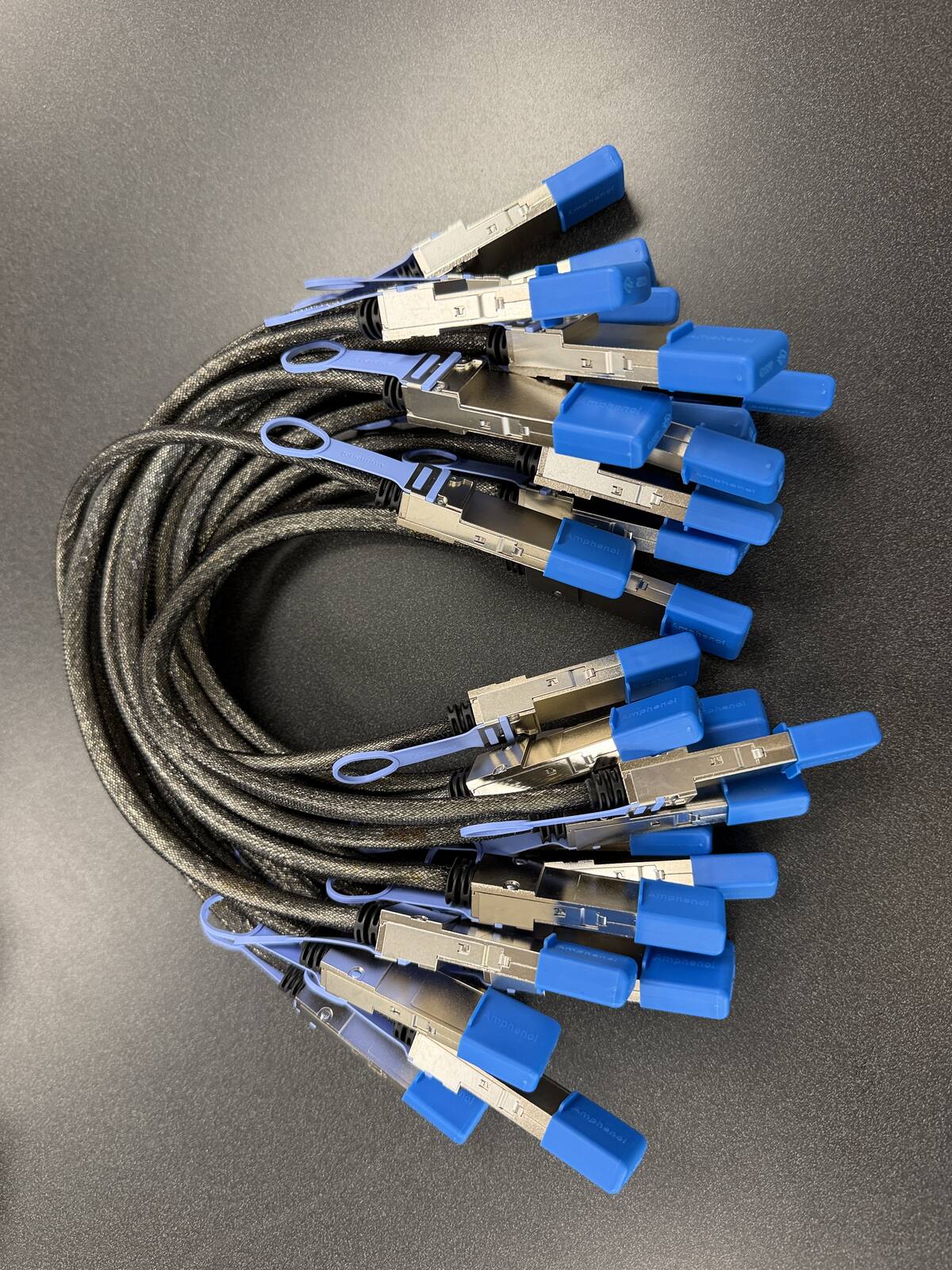
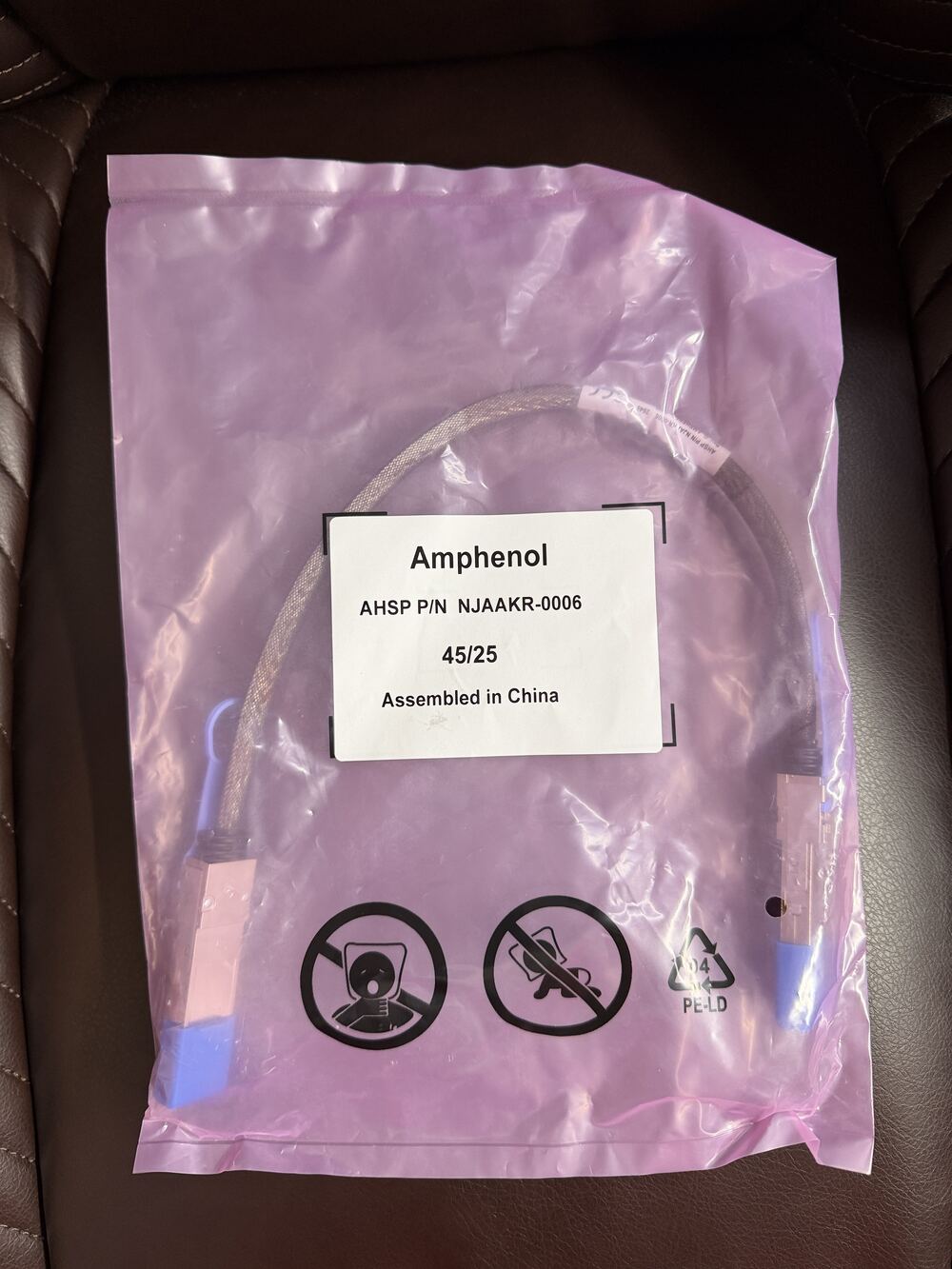
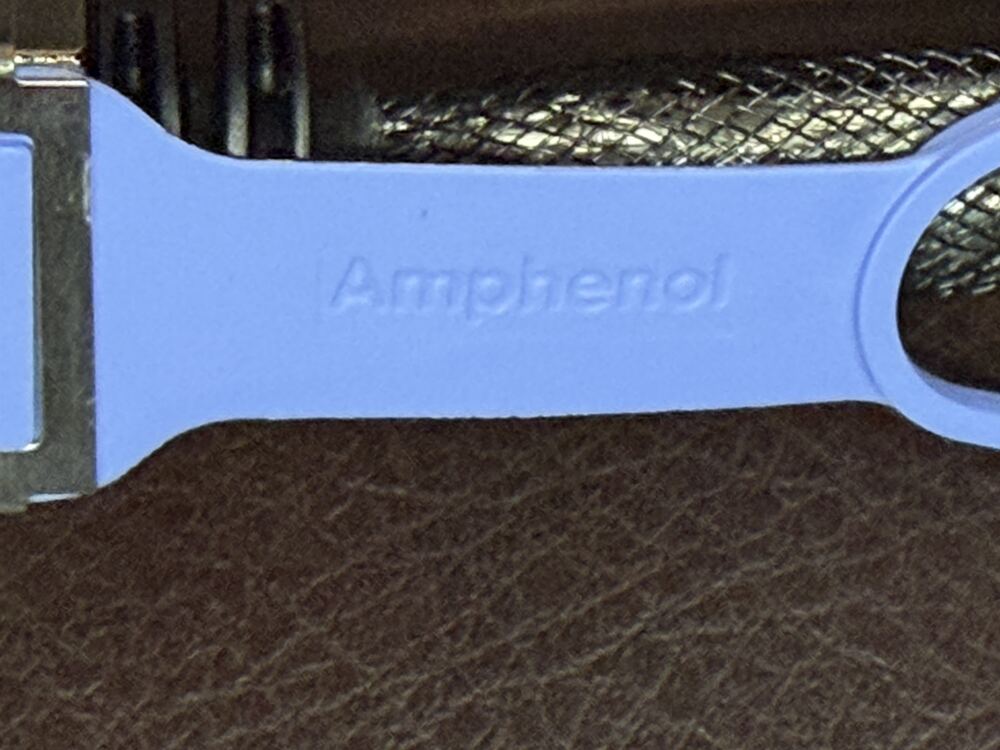
Is it a genuine Amphenol part? Yes. Each cable is factory sealed and jacket-stamped Amphenol AHSP P/N NJAAKR-0006, a 0.5m QSFP112 400G passive DAC built to the same NVIDIA Spark Stacking spec as the NJAAKK0006 / LMTQF022-SD-R references (not the same part number). The bag label is visible in the photos below.
Has it been tested in a GB10 cluster? We measured 196 Gb/s across a single 0.5m cable in our own GB10 cluster work, and the results are public in our free GB10 cluster guide on GitHub.
How fast does it arrive, and what if I change my mind? It is in stock in the US and ships in 1 to 3 business days with free US shipping. You can cancel any time before it ships for a refund less the payment processing fee (see our terms).
Back in stock alert
Get one email when units are back in stock, with the cable ready to ship. No marketing, one message, and you can reply to it with “remove” any time.
NVIDIA's GB10 Grace Blackwell superchip put a petaFLOP-class AI machine on the desk, and the way you scale past a single 128 GB node is to cable two or three of them together over their built-in QSFP112 ports. That interconnect is one specific, hard-to-source part, and it is the component distributors rarely keep on the shelf. Whether your box says NVIDIA, Dell, ASUS, MSI, Lenovo, HP, Acer, or Gigabyte on the front, the cable is identical.
| Cable | 0.5m QSFP112 400G passive direct-attach copper (DAC) |
| Same NVIDIA spec as | Parts such as the Amphenol NJAAKK-N911 (a 40cm part). Ours is the 0.5m length built to the same NVIDIA Spark Stacking spec, not the same part number. |
| Approved spec | Amphenol NJAAKK0006 / Luxshare LMTQF022-SD-R (NVIDIA Spark Stacking docs) |
| Fits | Both QSFP112 ports on the ConnectX-7 (CX7) NIC in every GB10 system |
| Link rate | 200 Gb/s class per link (cable is 400G-rated for headroom) |
| For two units | One cable |
| For a three-node ring | Three cables (switchless, each box uses both ports) |
| Price | $159, free US shipping (in stock, ships in 1 to 3 business days) |
| Multipacks | 2-pack $299, 3-pack ring kit $435 (the three cables a switchless three-node ring needs), free US shipping, US addresses only |
| Works with | NVIDIA DGX Spark, Dell Pro Max GB10, ASUS Ascent GX10, HP ZGX Nano, Lenovo ThinkStation PGX, MSI EdgeXpert, Gigabyte AI TOP ATOM, Acer Veriton GN100; brands can be mixed in one cluster |
| Returns | Cancel free before it ships; after delivery, RMA within 30 days (15% restocking fee and $20 return shipping and handling fee) |
Building more than a pair? Petronella Technology Group, Inc. published its full write-up of a six-node GB10 fabric on two MikroTik CRS812 switches, with the switch configuration, the measured RDMA matrix, and vLLM tensor-parallel results: the GB10 cluster guide on GitHub.
Every GB10 system has exactly two QSFP112 ports, so the topology is the same no matter which vendor built it. Two units link directly with one cable. Three units form a switchless ring using three cables, following NVIDIA's "Connect Three DGX Spark in a Ring Topology" playbook, where each box uses both of its ports for full pairwise connectivity. Three nodes is the switchless ceiling: with only two ports per unit, a fourth node cannot be cabled directly to all the others, so four or more units need a 200G-class QSFP switch.
It helps to be clear about what clustering buys you. Linking nodes pools their memory so you can load a model too large for a single 128 GB machine, and it lets a workload span multiple GPUs. It is a capacity play, not a raw speed boost, because each link runs at roughly 25 GB/s. For memory-bound inference and fine-tuning of larger models that is exactly the win you want; for a job that already fits in one node, a second box adds headroom rather than throughput. For the deeper numbers, see our breakdown of what 400G really means for DGX Spark cluster bandwidth, and for what the pooled memory actually runs, see the GB10 benchmark results from the cluster this cable builds.
This is the most common question on the NVIDIA developer forums, and the confusion is understandable: the ConnectX-7 NIC in every GB10 system negotiates its node-to-node link at 200 Gb/s, which is squarely inside QSFP56 territory, yet NVIDIA's Spark Stacking documentation specifies a QSFP112 400G DAC. Both statements are true at once. The QSFP112 part is the documented, approved cable, rated with headroom above what the link actually negotiates; cable vendors and community testers have also reported 200G QSFP56 DACs linking successfully on DGX Spark pairs, because the port speaks the slower rate natively.
Our advice is simple: for a machine at this price point, buy the cable NVIDIA documents. A QSFP112 400G DAC is guaranteed against the spec the Spark Stacking guide names, works identically on every OEM GB10 build, and removes the one variable you would otherwise be debugging if the cluster link ever misbehaves. Saving a few dollars on an off-spec QSFP56 cable is the wrong trade next to a pair of $4,000 workstations. The connector is the standard QSFP form factor either way, which is why retail listings describe the official part as "QSFP/CX7": a QSFP-family cable for the ConnectX-7 NIC.
Retailers list NVIDIA's official stacking cable under part number NJAAKK-N911, a 40cm Amphenol cable (NVIDIA's DGX Spark user guide lists it at 400mm). The underlying manufactured spec that NVIDIA's Spark Stacking documentation names is Amphenol NJAAKK0006, with Luxshare LMTQF022-SD-R as the equivalent build. The cable Petronella Technology Group, Inc. stocks is the 0.5m length built to the same NVIDIA spec as parts such as the Amphenol NJAAKK-N911 (40cm), not the same part number: passive copper, no firmware, no vendor lock. That is also why one cable covers the DGX Spark Founders Edition and the Dell, ASUS, MSI, Lenovo, HP, Acer, and Gigabyte GB10 builds interchangeably.
Every cable below is a short passive QSFP direct-attach copper cable for the same ConnectX-7 port. NVIDIA approves the first three, and owners on the NVIDIA developer forum report full-rate links with the Lenovo and NJAAKR-0006 parts. The differences are length, where each is sold, and how fast it reaches you. These are the facts as published by NVIDIA, the retailers, and owners on the NVIDIA developer forum, checked September 2026.
Which one should you buy? All of them fit the same port, so decide on length and timing. The 0.4 m parts suit units stacked directly on each other; the 0.5 m parts give a few more inches for side-by-side units and for the longest run in a three-node ring. If you are outside the United States, or you are not in a hurry, the Lenovo part is a sensible low-cost route. If you are in the US and need the cable this week, or need three matched cables in one box for a ring, order here. The vendor pages cover fit notes for each chassis, including the Lenovo ThinkStation PGX, ASUS Ascent GX10 and HP ZGX Nano.
Is the Lenovo 4X91U42988 compatible with a DGX Spark? Owners on the NVIDIA developer forum report using it between GB10 units at full speed. It is a 0.4 m QSFP cable, the same length class as NVIDIA's Marketplace cable, and every GB10 workstation uses the same ConnectX-7 QSFP ports.
What is the difference between NJAAKK-N911, NJAAKK0006 and NJAAKR-0006? Per NVIDIA, NJAAKK-N911 is the 400 mm approved cable and NJAAKK0006 is its 0.5 m version. NJAAKR-0006 is a 0.5 m QSFP112 cable in the same Amphenol family, and it is the part printed on our current stock.
A passive direct-attach copper cable has no retimers, no digital signal processing, and no firmware. It is well-shielded twinax copper, terminated in QSFP connectors, and nothing more. That construction gives you three things you want in a cluster interconnect. First, near-zero added latency: there is no electronics in the path to buffer or re-clock the signal. Second, essentially no power draw, well under a tenth of a watt, compared with the several watts an active optical cable burns per end. Third, nothing to fail or to update: a passive DAC either works on day one or it does not, and once it links it stays linked. At 0.5 meters, copper does all of this comfortably; active optics only earn their cost and complexity at lengths a desk-side stack never reaches. Because the cable is rated to 400G while the node-to-node link negotiates at 200 Gb/s, it is over-provisioned by design and will never be the bottleneck in your cluster. The ConnectX-7 NIC and the GB10's PCIe lanes set the ceiling; the cable just carries what they negotiate, with margin to spare.
Here is the whole job, end to end. Physically, you seat one end of the DAC in a QSFP112 port on the first unit and the other end in a QSFP112 port on the second, pressing until the latch clicks; the connector is keyed and cannot be inserted upside down. Either of the two ports on each machine works for a two-node link. There is no switch, no transceiver, and no optics to install, because the DAC's connector ends are the transceivers.
On the software side, NVIDIA's Spark Stacking documentation walks through the short bring-up: confirm the ConnectX-7 interfaces are visible on each node, assign each high-speed interface a static IP address on the same private subnet, and verify the link with a ping across those addresses. From there, distributed inference and training frameworks can be pointed at the direct connection between the nodes and will schedule work across both machines' GPUs and pooled memory. Budget fifteen minutes for the whole exercise, most of it reading rather than doing. If the link does not come up, the checklist is short precisely because the cable is passive: reseat both ends, confirm the interface addresses, and confirm both nodes are on current firmware. There is no cable firmware to suspect and no transceiver compatibility matrix to debug.
A three-node cluster uses three cables and zero switches. Label your machines A, B, and C. Run one cable from A to B, a second from B to C, and a third from C back to A. Every box now uses both of its QSFP112 ports, and every pair of nodes has a direct link, which is exactly the full-mesh connectivity NVIDIA's "Connect Three DGX Spark in a Ring Topology" guide describes. Order the three cables together as the 3-pack ring kit ($435, free US shipping) and the ring goes up in one sitting; this is the most common multipack quote we prepare.
With only two ports per unit, direct cabling stops at three nodes, so a fourth machine forces a topology change: every node now connects to a 200G-class QSFP switch instead of to its neighbors. That changes the shopping list from one cable per link to one cable per node plus the switch itself, and it raises questions worth answering before hardware arrives: how many ports you need today versus after the next budget cycle, whether the switch's port speed and form factor match the DACs you already own, and where the switch physically lives relative to a stack of desk-side machines. Petronella Technology Group, Inc. specs these small-fleet builds routinely; call 919-348-4912 with your node count and we will map the ports, cables, and switch model with you before you commit to any of it.
Single cables order instantly through the $159 checkout button on this page and ship free to US addresses. Cables are in stock and ship in 1 to 3 business days. International orders are quoted separately. For a three-node ring, ask us about the three-pack rather than ordering three singles; for labs and teams standing up multiple clusters, we quote five, ten, and twenty-unit quantities with volume pricing. If your organization buys on purchase orders, use the quote form below with your quantity and timeline and an engineer will turn it around within four business hours. Every cable we ship is built to the Amphenol NJAAKK0006 / Luxshare LMTQF022-SD-R spec that NVIDIA's Spark Stacking documentation names, which is the same electrical part regardless of whose logo is on the workstation it plugs into.
One practical buying note: because the GB10 platform sold faster than the accessory channel expected, the stacking cable is the piece that most often holds up an otherwise complete cluster. If your second workstation is on order, put the cable on order the same day. It is the cheapest component in the build and the one most likely to be backordered everywhere else when the machines arrive.
The half-meter length is not arbitrary. GB10 workstations are desk-side machines designed to sit stacked or side by side, and 0.5m reaches between two stacked units or two neighbors on a bench with a clean service loop and no excess copper to coil. Shorter is better with passive DACs: less length means less signal loss and an easier time holding the negotiated rate. If your layout separates the machines, across a rack, through a desk grommet, or between shelves, tell us the actual port-to-port distance and we will quote the correct longer build rather than guessing; do not buy a long cable "to be safe" when a short one reaches, because the extra copper buys you nothing but loss margin and cable clutter.
Because every GB10 build carries the identical ConnectX-7 NIC, a Dell unit clusters with an ASUS unit, an HP with a Lenovo, or a Founders Edition with anything else on the compatibility table above. The link does not know or care whose enclosure the NIC sits in. This matters in practice because teams rarely buy all their nodes at once: the workstation that is in stock in March is often a different brand than the one that was in stock in January. The cable is the constant across all of them, and since a passive DAC carries no firmware, adding one to the build changes nothing about any workstation's own support relationship with its vendor. Buy whichever GB10 machines you can get, cable them with the one approved part, and the cluster comes up the same way every time.
The same 0.5m QSFP112 400G DAC clusters any of these GB10 Grace Blackwell workstations, in matched pairs or mixed-vendor. Pick your machine for the exact fit notes and to order.
| Workstation | Interconnect | Cluster cable page |
|---|---|---|
| NVIDIA DGX Spark (Founders Edition) | 2 x QSFP112, ConnectX-7 | You are here |
| Dell Pro Max with GB10 | 2 x QSFP112, ConnectX-7 | Dell Pro Max GB10 cable → |
| ASUS Ascent GX10 | 2 x QSFP112, ConnectX-7 | ASUS Ascent GX10 cable → |
| MSI EdgeXpert | 2 x QSFP112, ConnectX-7 | MSI EdgeXpert cable → |
| Lenovo ThinkStation PGX | 2 x 200Gb QSFP, ConnectX-7 | Lenovo ThinkStation PGX cable → |
| HP ZGX Nano G1n | 2 x QSFP112, ConnectX-7 | HP ZGX Nano cable → |
| Acer Veriton GN100 | 2 x QSFP112, ConnectX-7 | Acer Veriton GN100 cable → |
| Gigabyte AI TOP ATOM | 2 x QSFP112, ConnectX-7 | Gigabyte AI TOP ATOM cable → |
The DGX Spark and its OEM siblings shipped faster than the accessory channel could keep up, so the one cable that turns two boxes into a cluster has been hard to find in stock at the big distributors since launch. Petronella Technology Group, Inc. carries the NVIDIA-approved 0.5m QSFP112 400G DAC at $159 with free US shipping and can quote multipacks for three-node rings and small fleets. It is in stock now and ships in 1 to 3 business days. This part keeps getting harder to source, which is why we placed the two largest orders we have ever placed for it. If you are standing up more than a handful of nodes, or want the 200G-class QSFP switch guidance for four or more units, call 919-348-4912 and we will spec it with you.
Talk to an engineer
Buying one, two, or three cables? Use the order buttons above. For a three-node ring, a fleet order, a purchase order, or 200G switch guidance for four or more units, tell us the details and a Petronella Technology Group engineer will quote it. Prefer to talk now? Call (919) 348-4912.
Or call Penny at 919-348-4912.