
RTX 5090 vs RTX PRO 6000 for Local LLMs:32 GB Consumer or 96 GB Workstation
The RTX 5090 vs RTX PRO 6000 question comes to us weekly, so we measured what we own and cited what we do not. Petronella Technology Group, Inc. runs RTX PRO 6000 Blackwell Max-Q cards in a four-GPU workstation server and publishes every configuration on our LLM benchmark hub. We do not own an RTX 5090 server, so the 5090 rows on this page are third-party measurements, cited, from a public one-click recipe whose author publishes their method; where we have no number, the cell says so. The buying questions here (adding a second GPU to an older desktop, PCIe lanes, power supply sizing, circuit limits) come from questions our clients asked us this month, answered with the arithmetic we gave them.
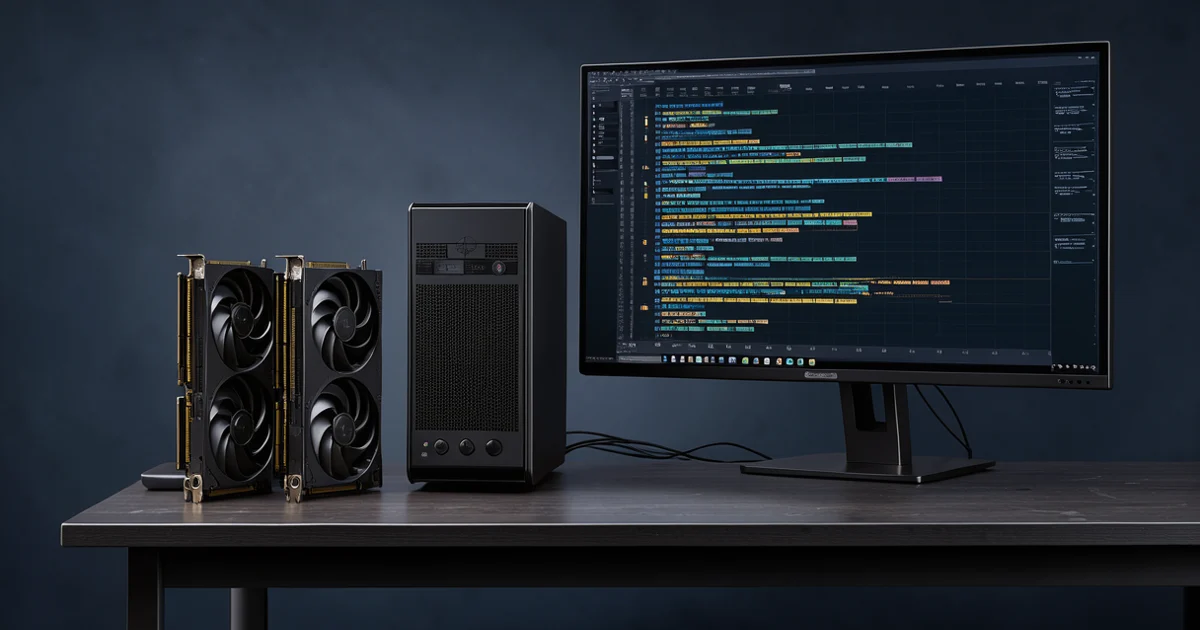
RTX 5090 vs RTX PRO 6000: The Measured Comparison
Speed rows are per card. Our rows come from the RTX PRO 6000 Blackwell Max-Q server we operate (measured 2026-09-21 to 2026-10-10, engine and flags recorded in our stored results). The RTX 5090 row is a third-party measurement of Qwen3.8-27B with the ExLlamaV3 1.6.0 engine and the DFlash2 drafter, cited in Sources; we did not measure a 5090 and label every such number as theirs.
| Measure | RTX 5090 (32 GB, third-party) | RTX PRO 6000 Blackwell Max-Q (96 GB, ours) | Read |
|---|---|---|---|
| Memory capacity | 32 GB GDDR7 (vendor spec) | 96 GB GDDR7 ECC (vendor spec) | 3x the capacity: the whole decision |
| Memory bandwidth (vendor spec) | 1,792 GB/s | 1,792 GB/s | Identical: decode per user is closer than capacity suggests |
| Board power (vendor spec) | 575 W maximum | 300 W Max-Q; the Workstation Edition is 600 W | Max-Q exists so four cards fit one chassis |
| Qwen3.8-27B, one user | 147.0 to 164.3 tok/s at 0 to 8k depth (ExLlamaV3 1.6.0 + DFlash2, 450 W cap, theirs) | 80.1 tok/s (vLLM FP8, ours, no drafter) | Different engines and precision; same model. Both are fast for one reader. |
| Qwen3.8-27B, decode at 128k depth | 104.4 tok/s (theirs) | not measured by us at that depth | the drafter's lead shrinks with context depth, their own table shows it |
| Qwen3.8-27B, aggregate at 16 users | not measured by them at concurrency | 943.2 tok/s (ours) | Only we measured concurrency on this model |
| gpt-oss-120b, one user | does not fit 32 GB | 179.0 tok/s, MXFP4 (ours) | The capacity gap in one row |
| gpt-oss-120b, aggregate at 32 users | does not fit | 1,118.1 tok/s, peak 1,511.2 (ours) | A 96 GB card carries a department |
| GLM-5.3-Flash, two cards, one user | does not fit | 166.0 tok/s on 2x RTX PRO 6000, FP8 (ours) | Bigger models are why the 96 GB tier exists |
| DeepSeek-V4.1-Flash, four cards | does not fit | 61 tok/s on 4x RTX PRO 6000, NVFP4 TP4, 163,840 tokens verified context (ours) | The largest MoE models fit only the 96 GB tier |
| Image generation | faster (higher power budget; qualitative, not our measurement) | Max-Q wins on VRAM, on a 2-slot blower that stacks, and on 300 W | See the FAQ below |
Vendor specifications (memory, bandwidth, power) are from NVIDIA's product pages, linked in Sources. The third-party 5090 figures are from the Mia's AI Lab recipe README, linked in Sources, and we reproduce them with their own caveats attached. We did not measure tokens per dollar or per watt on either card, and we do not publish price claims of any kind; pricing is a sales conversation.
The Best Model for a 32 GB Card, Checked This Month
For a 32 GB card, the question is which model uses the memory best. Our answer as of 2026-11-17: Qwen3.8 27B remains the best model for a 32 GB card. Three reasons, in order of weight:
- The ecosystem is the deepest. The DFlash2 drafter is Apache 2.0 (commercial use is fine), the same model has native support in the TensorFold engine we use across our fleet, and the best-documented 32 GB serving recipe in public is built around exactly this pair. A model with one fast path is a bet; a model with five is a choice.
- Our quality battery scores it at the top of its class. Qwen3.8-27B scored 0.971 agentic accuracy on our CMMC retrieval battery (three seeds) when served at FP8, and a 4-bit version scored 0.939: the best dense-model result we have measured at that size, including against larger MoE models.
- The alternatives are not better where it counts. Nanbeige4.3-33B (released 2026-10-24) claims stronger agentic coding on its own published card (DeepSWE 65.5 versus Qwen's 42.5, GPQA 89.5 versus 89.2). Those are the vendor's numbers, not ours, and the trade is real: a dense 33B decodes slower than a dense 27B on the same bandwidth, and its drafter ecosystem is community-only. Arete-27B runs at the same speed with the same drafter (it is a fine-tune of the same architecture) but is not a different answer. The other 30B-class candidates we evaluated (Ornith-1.5-35B-A3B, Gemma 4 31B) either lose on speed or on measured quality.
For a 96 GB card the question changes shape: the constraint stops being whether the model fits and becomes how many users you can carry. The 70B dense class fits at 8-bit; gpt-oss-120b fits in MXFP4 and carried 64 users in our ladder; GLM-5.3-Flash fits in FP8 on two cards; DeepSeek-V4.1-Flash fits on four. Our local LLM tier list keeps the model-by-model scores current.
The honest footnote about speculative decoding
The 5090's headline numbers above come with a drafter: a small model that proposes tokens the big model verifies. The same recipe's own depth table shows the gain shrinking with context, from about 42 percent over the plain engine at 8k depth to level (121.3 versus 122.6) at 64k and slightly behind at 248k. Drafters accelerate answers of a few thousand tokens; they do not change the physics of reading a full 262k window. Our RTX PRO 6000 rows above use plain FP8 serving with no drafter, so the two columns are different configurations of the same model, not a like-for-like card race. We say so rather than pretend it is one.
Adding a Second GPU: The PCIe Lane and Chipset Answers
Can you add a 96 GB RTX PRO 6000 Max-Q next to an RTX 5090 in an older desktop?
Yes, with one rule: each card runs its own job. LLM inference on the 96 GB card, image generation on the 5090, is a perfectly good split. The CPU's age barely matters once a model fits in VRAM; an older desktop processor spends its time feeding NVMe and the network while the GPUs do the math. What matters is how the motherboard wires its slots.
Take a common older platform: a 9th-gen Intel i9-9900K-class CPU on a Z390 board. That processor provides 16 PCIe 3.0 lanes from the CPU, which a dual-slot board splits x8/x8 across the two reinforced slots. One model per card at x8 Gen3 loses roughly 1 to 2 percent against a full x16 link, which is noise. Model loading is limited by the chipset's DMI link (about 3.9 GB/s on that platform) rather than by the x8 slot (about 7.9 GB/s), so the slot is not even the slowest path in the box. The one thing you must not do is split a single model across the two mismatched cards over PCIe 3.0: tensor parallelism across a slow link is painful, a layer split hurts prefill, and spilling into system RAM is slower still. One model per card, always, at this link speed.
Why is the same second card a problem on a newer Ryzen desktop?
Because the board decides, not the CPU. A current Ryzen 9 9950X-class processor has plenty of lanes, but many AM5 consumer boards wire only one full x16 slot to the CPU and relegate the second x16-length slot to x4 electrical, sometimes behind the chipset sharing bandwidth with the NICs and USB. Our own AM5 workstation board (a Gigabyte X870 AORUS ELITE WIFI7) is exactly this shape: one Gen5 x16 CPU slot, a second slot at Gen4 x4 at best. A second card lands there and runs at roughly half the bandwidth of the x8 Gen3 slot on the old Intel board. Many Z390, X570 and workstation-class boards were built for x8/x8; many AM5 consumer boards were not. Check the board manual's slot wiring page before buying a second card, not after.
Power: the 5090, the Max-Q and your wall
- Board power. The RTX 5090's total graphics power is 575 W (NVIDIA's spec page); the RTX PRO 6000 Blackwell Max-Q is 300 W and the Workstation Edition is 600 W (NVIDIA's product pages). NVIDIA recommends a 1,000 W power supply for a system with an RTX 5090.
- Both cards together. A 5090 plus a 300 W Max-Q plus a 125 W-class desktop CPU lands around 1,100 to 1,150 W at full system load. An 850 W unit is not enough unless the 5090 is power-capped near 300 W. A 1,200 W ATX 3.x unit works with headroom; cap the 5090 at 450 to 500 W, which costs a few percent of its speed, and run two separate 12V-2x6 cables rather than one pigtail.
- The circuit. A 15 A / 120 V circuit is 1,800 W peak and about 1,440 W continuous under the 80 percent rule. The dual-GPU box draws roughly 1,250 to 1,300 W at the wall at full load, so it wants the circuit mostly to itself. Check the UPS too: many desktop UPSes top out at 900 to 1,000 W and will object to a box like this at full tilt.
The same math is why the Max-Q exists. Four Workstation Edition cards are 2,400 W of board power alone, which no office circuit forgives; four Max-Q cards are 1,200 W in one chassis with 384 GB of VRAM, which our own four-GPU server demonstrates daily. If you are stacking cards, the 300 W variant is not a compromise, it is the enabling design choice.
When a Card Beats a DGX Spark or a Mac (and When It Does Not)
The discrete-GPU tiers and the unified-memory tiers overlap less than the marketing suggests, but the overlaps matter when you are spending real money.
| If your priority is... | Choose | Why, from our measurements |
|---|---|---|
| Fastest replies per user for models that fit VRAM | RTX card | 80 tok/s on Qwen3.8-27B plain FP8 on one card (ours), 147 to 164 with a tuned drafter on the 5090 (theirs). Unified memory boxes decode from 231 to 614 GB/s of bandwidth; the cards decode from 1,792. |
| Long-context agent work that re-reads big prompts | RTX card or GB10 cluster | Unified memory holds big models but reads long prompts slowly: our 192 GB box peaked around 2,200 tok/s prefill on its fast model and 173 on its biggest. A discrete GPU reads prompts several times faster. |
| Models above 32 GB of weights | RTX PRO 6000 (or a cluster) | A 32 GB card cannot hold them; 96 GB can, and 384 GB in one four-card chassis takes it further. |
| Sitting inside an existing desktop | RTX card | No new appliance, no new OS, your existing machine. This is the card tier's quiet advantage and the reason upgrade questions outnumber appliance questions. |
| CUDA with no compromises | Either NVIDIA tier | Both are CUDA. The unified-memory GB10 appliances add NVFP4-native hardware and 200 Gb clustering; the cards add raw bandwidth. |
| Many users on one box at the lowest power | GB10 appliance, or Max-Q stack | One GB10 serves a small team at 111 to 126 W wall draw. A four-card Max-Q chassis carries far more but wants the circuit to itself. |
| Silence and a small desk | Mac or GB10 | A dual-GPU box at full load is a hair-dryer with a network jack. Our Mac Studio page covers the silent tier. |
| macOS software and one-person speed | Mac Studio | The 64 GB Mac Studio decoded Nemotron 3.5 Lightning at 241 tok/s for one user in our tests, faster per box than any single card we measured on that model. It cannot hold 70B-plus at long context the way a 96 GB card can. |
One-sentence version: cards win on bandwidth, concurrency and CUDA depth; unified-memory boxes win on capacity per watt, silence and simplicity. A small office that already owns unified-memory boxes and now needs long-context agent speed should add a card for exactly that reason, and for no other; if production already runs elsewhere, a card at home is rarely justified by a fallback role alone.
RTX 5090 and RTX PRO 6000: Frequently Asked Questions
Can I put a 96 GB RTX PRO 6000 Max-Q next to my RTX 5090 in an older desktop?
Yes, if each card runs its own job: LLM on the 96 GB card, image generation on the 5090. On a Z390-class board the two CPU slots run x8/x8 PCIe 3.0, which costs 1 to 2 percent per card and does not matter. Never split one model across the two cards over PCIe 3.0, and do not spill into system RAM.
Why is a second GPU discouraged on my new Ryzen 9950X board?
The board decides, not the CPU. Many AM5 consumer boards wire one true x16 slot to the CPU and give the second slot only x4 electrical, often behind the chipset. Our own AM5 board is built that way. Old Z390, X570 and workstation boards were commonly x8/x8. Read the manual's slot wiring before buying the second card.
What power supply do I need for a 5090 plus an RTX PRO 6000 Max-Q?
Plan for about 1,100 to 1,150 W at full system load. An 850 W unit is not enough unless the 5090 is capped near 300 W. A 1,200 W ATX 3.x unit works with headroom; cap the 5090 at 450 to 500 W, which costs a few percent, and use two separate 12V-2x6 cables. NVIDIA recommends 1,000 W for an RTX 5090 alone.
Will both cards trip a 15 amp circuit?
A 15 A / 120 V circuit is 1,800 W peak and about 1,440 W continuous under the 80 percent rule. The dual-GPU box draws roughly 1,250 to 1,300 W at the wall at full load, so it wants the circuit mostly to itself, and many desktop UPSes (900 to 1,000 W) are too small for it. Check both before you buy.
RTX 5090 or RTX PRO 6000 Max-Q for image generation?
The 5090 is faster at image generation because of its higher power budget. The Max-Q wins on 96 GB of VRAM, on a 2-slot blower design that stacks four to a chassis, and on 300 W. For an LLM-plus-image-generation box, one of each on independent slots is the configuration our clients actually land on.
What is the best model for a 32 GB card?
Qwen3.8 27B, checked 2026-11-17: the deepest drafter ecosystem (DFlash2, Apache 2.0), a measured 32 GB recipe from a third-party lab at 147 to 164 tokens per second at shallow depth, and the best quality score in its class on our compliance battery. A new 33B rival claims better agentic scores on its own card, but it is denser and slower, and we have not verified the claim.
Can a 32 GB card run 70B models?
Not at useful quality. The 70B dense class at 4-bit is around 40 GB before context; it does not fit 32 GB. The 96 GB RTX PRO 6000 holds it at 8-bit with room for context, which is the practical dividing line between the two cards.
Should a small office buy a big GPU if it already has unified-memory boxes?
Buy the GPU for long-context agent work, which is where unified memory is slow: our 192 GB box read prompts at about 173 to 2,230 tokens per second depending on the model, while a discrete GPU or GB10 reads several times faster. If your production workload already runs elsewhere, a home or office fallback rarely justifies the spend on its own.
How many users can one card carry?
More than you expect. In our ladder, one RTX PRO 6000 Blackwell Max-Q serving gpt-oss-120b sustained 1,118 tokens per second aggregate at 32 users and peaked at 1,511 at 64. The same card on Qwen3.8-27B carried 48 requested users at 1,190 tokens per second aggregate. Single-user speed and fleet capacity are different questions; the card answers both well.
RTX PRO 6000 Max-Q or Workstation Edition?
The Workstation Edition (600 W) is the single-card maximum; the Max-Q (300 W) is the multi-card maximum. One card and a fast workload: Workstation Edition. Two or more cards, an office circuit, or a chassis with limited cooling: Max-Q. Our own four-GPU server runs Max-Q cards for exactly the stacking and power reasons above.
Do I still need a DGX Spark if I have a big card?
Not for speed; the card is faster per user. The GB10 appliance earns its place on power draw (111 to 126 W while generating), its 128 GB of unified memory for models that exceed 96 GB at 4-bit, its NVFP4-native hardware, and clustering: four units serve models no single card can load. Different tools, some overlap.
Where do I find your actual benchmark data?
Every configuration we publish lives on the LLM benchmark hub with its methodology, and the cross-tier comparison is on our GB10 vs H200 page. Each number traces to a stored result file with the engine, checkpoint and flags recorded.
More Hardware Deep Dives From Our Benchmark Lab
Every page below uses the same prompts, the same quality gate and the same methodology, so the numbers line up across machines.
Sources and References
- NVIDIA GeForce RTX 5090 specifications (32 GB GDDR7, 1,792 GB/s, 575 W total graphics power, 1,000 W required system power).
- NVIDIA RTX PRO 6000 Blackwell Max-Q Workstation Edition (96 GB GDDR7 ECC, 1,792 GB/s, 300 W, dual slot).
- NVIDIA RTX PRO 6000 Blackwell Workstation Edition (96 GB GDDR7, 600 W).
- Qwen3.8-27B on 16-32 GB NVIDIA GPUs, one-click install, Mia's AI Lab (the third-party RTX 5090 measurements cited above: ExLlamaV3 1.6.0 + DFlash2, 147.0 to 164.3 tok/s at 0 to 8k depth, 24,850 MiB at 262k context, 450 W power cap).
- Qwen3.8-27B model card and the DFlash2 drafter (Apache 2.0), Hugging Face.
- gpt-oss-120b model card, OpenAI on Hugging Face.
- AMD Ryzen AI Max+ PRO 495 platform page, for the unified-memory comparisons in the verdict table.
- LLM benchmark methodology and the benchmark hub, Petronella Technology Group, Inc.
- GB10 vs H200 vs RTX PRO 6000: measured side by side, our cross-tier comparison page.
Pick the Card That Fits the Workload, Not the Hype
Send us the models and context lengths you actually run. We benchmark them on the card you are considering before you buy, and we design private AI systems that keep sensitive data on equipment you control.
Prefer to read first? Explore our AI services or our on-premises AI practice.
Measured on the Petronella Technology Group, Inc. fleet, September to November 2026. Our rows trace to stored result files; third-party rows are cited and labeled throughout.