
Mac Mini for Local LLMs:What 16 GB Actually Runs, Measured
Which models fit in 16, 24 and 32 GB, how the mini stacks up against a Mac Studio or a DGX Spark, and when it is the right buy despite being the slowest machine in our fleet: those are the questions this page answers from our own runs, with the gaps in our data marked as gaps.
The Mac Mini Question People Get Wrong
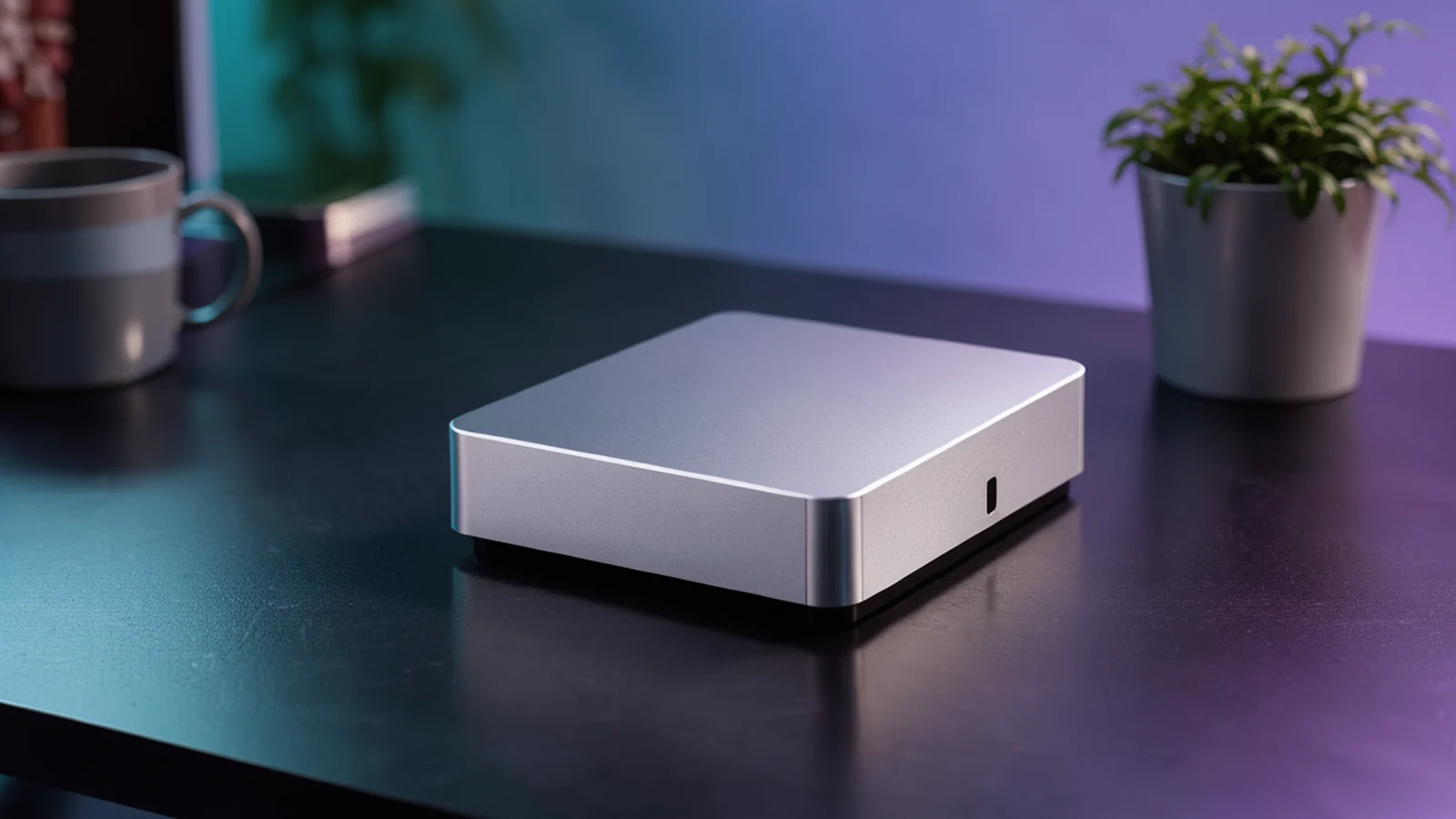
The Mac mini is the most-searched Mac for local LLMs because it is the cheapest way into Apple Silicon, and the advice around it is a mix of vendor memory math and forum optimism. What it almost never includes is a measured answer on the machine people actually own: the base M4 mini with 16 GB of unified memory, which is also what the memory is shared with the whole operating system, not dedicated to the model.
So we measured it. Our mini is the base configuration: an M4 chip with 16 GB of memory, running as an always-on utility machine in our fleet, not a dedicated benchmark rig. That is exactly the role most buyers imagine for it, and it makes the numbers honest: nothing was closed, no other load was manufactured, and the machine had only its normal services running during the runs. We installed llama.cpp from Homebrew, pulled three small models that fit, then ran the identical two prompts (a Python coding task and a plain-language prose explanation), 300 output tokens, temperature 0, thinking disabled, every configuration twice, exactly as on our Mac Studio M5 Max and DGX Spark pages.
One finding came before any benchmark numbers did, and it matters more than a token-per-second table: the machine reported 12.7 GB as its recommended maximum working set for the GPU out of the 16 GB installed. Between the sticker memory and the memory a model can actually plan to use sits a gap, and that gap is where 16 GB Mac projects go to die. The sections below quantify it.
What We Measured On
| Machine | Chip | Memory | Engine | Role in our fleet |
|---|---|---|---|---|
| Our mini | M4 (base) | 16 GB | llama.cpp, Metal, all layers on GPU | Always-on reader and small-model box |
llama.cpp ran from Homebrew. We began on a build that did not know the Gemma 4 architecture (it refused the file with an unknown-architecture error), upgraded to the current release, and re-ran everything on the new build; the per-model tables below use the current build, and the upgrade itself is a finding worth knowing if your mini has an older Homebrew install. Files came from public model repositories in GGUF form, 4-bit quantizations chosen to fit: Qwen3.5 9B Q4_K_M (5.3 GB on disk), Gemma 4 E4B Q4_K_M (4.6 GB), and gpt-oss-20b in its native MXFP4 (about 11 GB) (unsloth Qwen3.5 9B, unsloth Gemma 4 E4B, Gemma 4 E4B model card, OpenAI gpt-oss announcement).
The two prompts are the same two we run on every machine in the fleet: one is a Python coding task, the other a 300-word plain-language explanation for a small business owner. On the M4, code as well as prose decoded at nearly identical speeds on the two smaller models, which differs from our Mac Studio results where the DFlash2 drafter separated code and prose sharply; the mini runs plain decoding, with no drafter measured, so there is no acceptance-rate lever. The exceptions were gpt-oss runs, where run-to-run spread reached 6 tok/s on prose, and we show every run in the tables rather than a cherry-picked median.
Three Models, Two Prompts, Two Runs Each
| Model (disk size) | Context setting | Code, run 1 / run 2 | Prose, run 1 / run 2 |
|---|---|---|---|
| Gemma 4 E4B, Q4_K_M (4.6 GB) | 8,192 | 29.9 / 29.9 tok/s | 29.7 / 29.7 tok/s |
| Qwen3.5 9B, Q4_K_M (5.3 GB) | 8,192 | 18.0 / 18.0 tok/s | 18.0 / 18.1 tok/s |
| gpt-oss-20b, MXFP4 (about 11 GB) | 8,192 | 26.3 / 29.4 tok/s | 26.4 / 32.5 tok/s |
| gpt-oss-20b, MXFP4 | 2,048 | 34.6 / 35.1 tok/s | 34.7 / 35.1 tok/s |
Tokens per second of generation, 300 tokens, temperature 0, thinking off. Prompt-reading speeds on these short prompts ranged from about 30 to 240 tok/s and are stored in the raw output files; they are not comparable across models because the tokenizers differ and the prompts tokenize to different lengths.
Three readings. First, the E4B model is the speed winner at 30 tok/s: it is a mixture-of-experts design with about 4B active parameters, so each token reads a small slice of the weights. Second, Qwen3.5 9B is dense at 9B parameters and pays for it: 18 tok/s is comfortable for chat but visibly slower for long generations. Third, gpt-oss-20b at 8k context averaged around 27 to 33 tok/s, and freeing memory by cutting the context window to 2,048 tokens lifted it to a steady 35 tok/s. On a 16 GB machine, the context window is not just a capability dial; it doubles as a speed dial, because the KV cache competes with the model for the same memory pool.
The gpt-oss runs also produced the page's most useful negative result. At the default 8,192-token context, the model loaded but crashed mid-generation with GPU out-of-memory errors; the server's own memory breakdown showed about 12.1 GB total with only 11.5 GB of model weights and a thin compute budget. Cutting the reserved context to 2,048 or 3,072 tokens made it stable. We then re-tested on the upgraded engine, where 8,192 tokens completed all four runs, but with more run-to-run spread than either smaller model showed. Everything fit. Nothing had room to spare.
The Context Ladder: Where 16 GB Runs Out
| Reserved context (Qwen3.5 9B, 4-bit) | Code tok/s | Prose tok/s | Verdict |
|---|---|---|---|
| 8,192 | 18.0 | 18.0 | Fully comfortable |
| 16,384 | 18.0 | 18.0 | Identical to 8k |
| 32,768 | 17.9 | 17.6 to 17.9 | Usable, minor cost |
| 65,536 | 17.6 to 17.8 | 17.5 to 17.8 | Usable, small cost |
| 98,304 | 16.9 to 17.4 | 17.0 to 17.1 | Largest context we call usable |
| 131,072 | 2.2 to 3.3 | 2.7 to 2.9 | Not usable |
Same model, same prompts, only the reserved context window changed. Generation speed holds nearly flat from 8k through 64k. It costs a few percent at 96k, then collapses to 2 to 3 tok/s at 128k, an order-of-magnitude drop caused by memory pressure and cache thrashing rather than model size.
This is the single most practical table on the page. A 16 GB mini runs a 9B model at 18 tok/s all day with a 32k context and useful documents inside it. It can even do 96k. But the model's advertised 128k-window capability is not the same as the machine's usable window, and anyone sizing a retrieval-augmented setup on a 16 GB mini should plan for 32k chunks with a reserve, not a 128k direct dump. On a 128 GB or 192 GB machine (our Strix Halo and Gorgon Halo pages), that same question has a different answer, which is exactly what the memory tier buys.
16 GB vs 24 GB vs 32 GB: What Each Configuration Runs
| Configuration | Models that fit at 4-bit, with usable context | What we measured |
|---|---|---|
| 16 GB (M4, our machine) | Small models to about 20B class (9B dense, E4B MoE, 20B MXFP4 tight) | All three models above; 20B only with context constrained |
| 24 GB (M4 Pro) | Mid-size dense to about 14B with long context, 20B to 27B class tight | Not measured by us; arithmetic from measured weight sizes plus the 12.7 GB working-set ceiling we saw on 16 GB |
| 32 GB (M4 Pro) | 27B-class dense with moderate context | Not measured by us |
We measured the 16 GB machine and quote the others as arithmetic, not benchmarks: a 27B model in 4-bit weighs about 16 GB before any context, which is the whole memory budget of the base mini and roughly half of a 32 GB one. The Pro chip also raises memory bandwidth, which lifts decode speed roughly in proportion, but we have not measured a Pro mini and will not quote a number for one. The Mac Studio M5 Max 64 GB measured 31 percent faster than the 36 GB Studio at plain decode purely from bandwidth (our Studio page); the same law applies down the line.
The sticker-to-usable gap deserves its own warning. On our 16 GB machine, the engine reported a recommended maximum working set of about 12.7 GB for the GPU. Plan around roughly three quarters of the sticker memory, and configurations become predictable: 16 GB holds models up to about 11 GB of weights comfortably with 8k context; 24 GB holds about 17 to 18 GB of weights; 32 GB holds a 27B-class 4-bit model with real headroom. When a model fits only by starving the context window, the context ladder above tells you how that trade ends.
Mac Mini vs Mac Studio vs DGX Spark
| Platform | Memory | Best measured single-user speed in our data | Right role |
|---|---|---|---|
| Mac mini M4 (our machine) | 16 GB | 30 tok/s, Gemma 4 E4B | Always-on small model, reader box, light automation |
| Mac Studio M5 Max 36 GB | 36 GB, ~460 GB/s | 97 tok/s, Qwen3.8 27B with DFlash2 on TensorFold | Single-user professional assistant |
| Mac Studio M5 Max 64 GB | 64 GB, 614 GB/s | 133 tok/s, same recipe; 353 tok/s total at 8 streams | Single user with headroom, small-team bursts |
| DGX Spark (GB10), one unit | 128 GB, 273 GB/s | Big-model headroom and CUDA tooling rather than raw single-user decode | Prototype to production CUDA stack, larger models |
The mini is 4 to 7 times slower than the Studio on comparable per-token work, and its memory ceiling excludes the 27B-class models that make the Studio worth its larger bill. That is not a criticism; they are different machines. What the mini offers is silence, a few watts, and an always-on role no Studio wants: a reader service that summarizes documents, a small assistant behind an inbox, an API endpoint for a single automation. In our fleet, the mini's job is exactly that, and it did it for the measurements here without disturbing anything else on the machine.
Against a DGX Spark, the comparison is really about the CUDA ecosystem and the 128 GB ceiling rather than speed: the Spark runs the vLLM and SGLang stack, NVFP4 quantization and clustering over 200G links, none of which a mini participates in. Our Spark deep dive and the best local LLM per machine page carry those numbers side by side with the Mac ones.
When to Choose a Mac Mini (and When Not)
You want an always-on small-model box: document summarization, classification, drafting small replies, a private chat endpoint for quick questions, or an embedding and reranking service. Our measurements show 18 to 35 tok/s on models up to the 20B MXFP4 class, with the 20B comfortable only when the context window stays small. The machine stays silent and sips power, and it asks for nothing beyond Homebrew.
Your models are 14B to 27B class or you need long contexts on mid-size models. We did not measure a Pro mini; the sizing is arithmetic from measured weight sizes and the working-set behavior we saw on 16 GB. If 27B-class speed matters, our Studio numbers say the Studio's bandwidth is where that speed comes from.
The work is a 27B-class coding assistant (buy the Studio), multi-user serving (a GB10 pod measured 214 to 328 tok/s aggregate at 8 to 16 users), long-prompt agent work (unified memory reads prompts slowly at every size, and a 16 GB machine makes the constraint acute), or anything needing the CUDA ecosystem. Also do not buy the base mini expecting the advertised 128k context to be usable on big models; our ladder above shows where it breaks.
The mini is the right buy as a companion, not a centerpiece. In our fleet it does its small-model job next to Studios and Sparks, and nothing we measured suggests using it beyond that role. For the money, no other silent box we have measured turns a 5 GB model into a 30 tok/s endpoint at zero administration.
Mac Mini Local LLM Questions, Answered From Our Measurements
Can a 16 GB Mac mini run local LLMs?
Yes, small ones. We measured 18 tok/s on a dense 9B in 4-bit, 30 tok/s on a 4B-active mixture-of-experts model, and 27 to 35 tok/s on a 20B MXFP4 model that needed a reduced context window to run reliably. Models of 27B and up do not fit the base configuration.
What is the biggest model that fits a 16 GB Mac mini?
In our runs, a 20B model in MXFP4 (about 11 GB of weights) was the practical ceiling: it fit and ran at 26 to 35 tok/s, but only after cutting the reserved context from 8,192 tokens to 2,048 at first, and even at 8k it showed more speed spread than smaller models. The operating system and the KV cache compete for the same memory, and the engine reported a recommended maximum working set of about 12.7 GB out of 16.
Is the M4 Pro mini with 24 GB or 32 GB worth it for LLMs?
It moves the ceiling: 24 GB holds 14B-class models with long context and 27B-class tight; 32 GB holds 27B-class with real context room, and the Pro chip adds memory bandwidth that lifts decode proportionally. We have not measured a Pro mini and size it by arithmetic from our measured weight sizes, not benchmarks.
Mac mini or Mac Studio for a local LLM?
Depends on the model size you need. The mini ran our small models at 18 to 35 tok/s; the Studio M5 Max ran a 27B model at 97 to 133 tok/s with the drafter recipe, and the 64 GB version serves 8 parallel streams. If a 20B ceiling and one user at a time fit your work, the mini does it quietly; if it does not fit your work, a Mac Studio brings the memory and bandwidth that make the difference.
Does the 128k context window actually work on a 16 GB mini?
Not usefully for a 9B model. Our ladder held 18 tok/s from 8k through 32k, lost a few percent by 96k (still usable), and collapsed to 2 to 3 tok/s at 128k, an order-of-magnitude drop from memory pressure. Plan for 32k contexts with reserve on the base mini.
Why did gpt-oss-20b crash on the mini at first?
GPU memory exhaustion. The model loaded, then failed mid-generation with out-of-memory errors; the server's own breakdown showed about 12.1 GB in use against a 12.7 GB recommended ceiling. Reducing the reserved context to 2,048 tokens made it stable, and a newer engine build completed all runs at 8,192 tokens with more spread. On a 16 GB machine, the context setting acts as a speed and stability dial rather than just a capability knob.
Is a Mac mini good as an always-on LLM server?
For small models, yes. That is exactly the role we run ours in: silent and low power, and it answered our standard benchmark prompts without disturbing the rest of the machine. Keep the context modest, serve one model at a time, and it makes a dependable private endpoint for summarization and small chat work.
How does the mini compare with a DGX Spark for local LLMs?
Different classes entirely. The Spark's 128 GB runs model classes the mini cannot load and gives you the CUDA stack (vLLM, SGLang, NVFP4) and clustering; the mini gives you silence and simplicity for small models. Our Spark deep dive carries the cross-platform numbers measured with the same prompts as this page.
Which engine should I use on a Mac mini?
llama.cpp from Homebrew ran everything on our mini and is the simplest path. Keep it current: our first build refused the Gemma 4 GGUF with an unknown-architecture error, and upgrading fixed it. We did not measure MLX or TensorFold on the mini; on the Studio those engines beat llama.cpp, so the mini has headroom we have not quantified.
Can a mini run the same models as the Studio in this benchmark series?
No. The 27B Qwen3.8 model in 4-bit weighs about 16 GB, which is the base mini's entire memory budget before the system and context take their share. That is why this page measures the 9B, E4B and 20B tier, and why our Studio page covers the 27B class.

About the Author
Craig Petronella is president of Petronella Technology Group, Inc., a CMMC Registered Practitioner and Registered Provider Organization (RPO #1449) with The Cyber AB, a Cisco Certified Network Associate (CCNA), a Certified Wireless Network Expert (CWNE), and a North Carolina Digital Forensic Examiner (License 604180-DFE). He is a graduate of the MIT Sloan AI Implications for Business Strategy program and author of 16 books. His team benchmarks private AI hardware on machines the firm owns so compliance-controlled clients can size deployments on evidence rather than marketing.
Sizing a private AI deployment for your team? See our AI services or contact us.
More Hardware Deep Dives From Our Benchmark Lab
Every page below uses the same prompts, the same quality gate and the same methodology, so the numbers line up across machines.
Sources and Data Files
- Apple Mac mini technical specifications (M4 chip and memory configurations, vendor)
- unsloth Qwen3.5 9B GGUF repository (Q4_K_M weights used in our runs)
- Google Gemma 4 E4B model card (model family, vendor)
- unsloth Gemma 4 E4B GGUF repository (Q4_K_M weights used in our runs)
- OpenAI gpt-oss announcement (gpt-oss-20b model, vendor)
- llama.cpp engine, GitHub (the engine used, and the Gemma 4 architecture support history)
- NVIDIA DGX Spark hardware documentation (comparison row, vendor)
Our own raw benchmark output for every run on this page (eight runs per model per context setting, stored as plain text with the exact commands) is archived in the Petronella Technology Group, Inc. benchmark repository, measured November 17, 2026. The two prompts are identical to those used on our Mac Studio and DGX Spark pages, so per-model figures are comparable across the series.
Mac mini LLM measurements by Petronella Technology Group, Inc. on a machine we own and operate. We did not measure the M4 Pro configurations or other engines on the mini, and we say so wherever it matters.