AI Workstation 2026: RTX 5090 Deep Learning Build
Posted: December 31, 1969 to Technology.
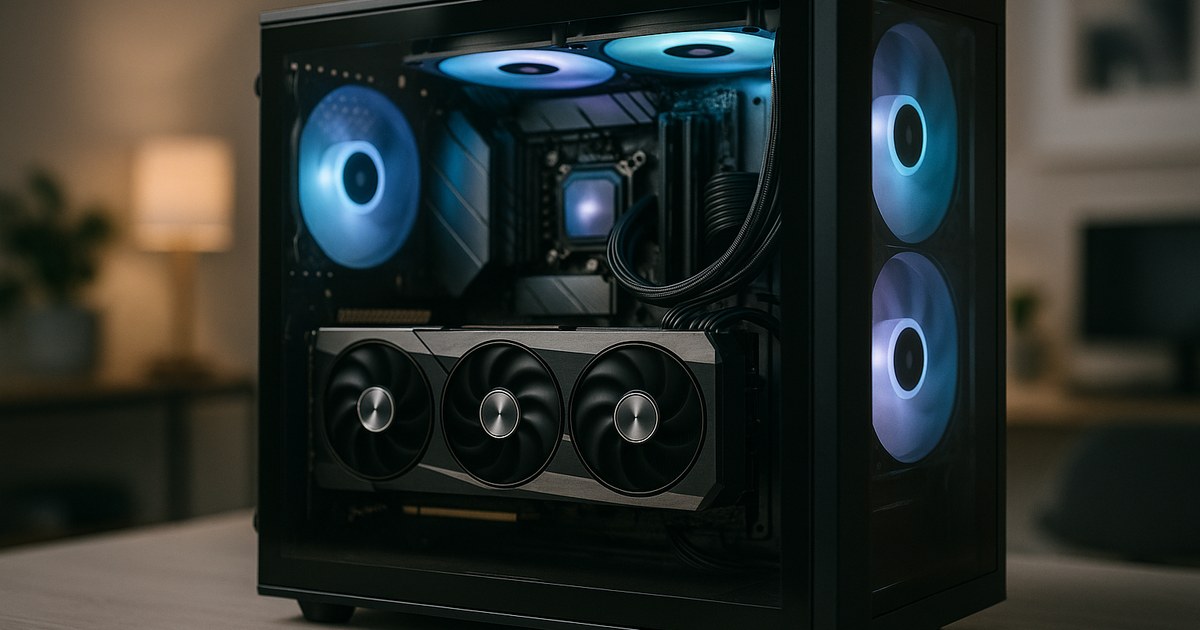
If you are sizing a single-box AI workstation in 2026, this is the guide that saves you from expensive mistakes. Petronella Technology Group has been building and running GPU-heavy machines for clients since the NVIDIA Pascal era, and we still run a dense cluster of RTX 4090s, RTX 5090s, and a pair of RTX Pro 6000 Blackwell cards in our lab in Raleigh, North Carolina. The patterns below are what we actually deploy for clients who want to keep their models, data, and fine-tuning pipelines in-house.
This guide is for the builder dropping five to fifteen thousand dollars on one machine that needs to run local LLM inference, fine-tune medium-sized models, train small custom models, and generate images and video without begging a cloud provider for quota. We will cover the real RTX 5090, what you can actually load into 32 GB of VRAM, when you should skip the 5090 entirely and go straight to an RTX Pro 6000, and how to pair the GPU with a CPU, motherboard, memory, storage, and power supply that will not throttle it.
If you would rather hand the whole thing to a team that has already built dozens of these, Petronella Technology Group can scope, build, ship, and operate your AI hardware, from a single desk-side workstation to a rack of private AI infrastructure. Our shop was founded in 2002, has held a BBB A+ rating since 2003, and is a CMMC-AB Registered Provider Organization (RPO) #1449 for clients with Department of Defense exposure. Call us at (919) 348-4912 (ask for Penny, our live AI voice assistant who takes calls and books assessments 24/7) or use the contact form. For the fully managed version of this, see our private AI cluster pillar page, the digital twin voice build, and the hardware catalog.
Who This Build Guide Is For
There are three honest reasons to build a local AI workstation in 2026 instead of just renting H100 hours in the cloud.
First, data sovereignty. If you are in healthcare, defense, finance, legal, or any regulated vertical, keeping training data and model weights on hardware you physically control is not a preference. It is a CMMC, HIPAA, GLBA, or FTC Safeguards Rule requirement. You can still talk to public frontier models for non-sensitive tasks, but the sensitive pipeline has to live somewhere private.
Second, unit economics. A single RTX 5090 at roughly two thousand dollars pays for itself in about 120 to 200 hours of equivalent cloud A100 or H100 time depending on which provider and which tier. If you run inference eight hours a day, five days a week, a workstation breaks even in four to six months and then runs free for the next three to five years.
Third, experimentation speed. When you are iterating on prompts, agent loops, fine-tunes, or evaluations, a local box with no rate limits, no cold starts, and no billing anxiety changes how often you try things. That matters more than almost any spec on the parts list.
If none of those apply to you, stop here and rent cloud GPUs. Otherwise, keep reading.
The RTX 5090 and Its Alternatives
The NVIDIA GeForce RTX 5090 is the consumer-facing Blackwell-generation card that most workstation builds orbit around in 2026. The official NVIDIA product page (https://www.nvidia.com/en-us/geforce/graphics-cards/50-series/rtx-5090/) lists 32 GB of GDDR7 memory, 21,760 CUDA cores, and fifth-generation Tensor Cores with native FP4 and FP8 acceleration. That FP4 support is the single most important spec for local LLM inference, because it lets you run quantized 70B-class models on a single card at usable speed.
MSRP is 1,999 US dollars (https://www.nvidia.com/en-us/geforce/graphics-cards/50-series/rtx-5090/). Actual street price through NVIDIA partners and major retailers has ranged from roughly 1,999 to 2,599 dollars depending on supply, AIB partner, and whether you can catch a Founders Edition drop. We flag that pricing range rather than a single number because availability has been inconsistent since launch and we are not going to pretend otherwise.
The 5090 pulls up to 575 watts under full load according to the official spec, which drives the power supply and cooling sections below. It uses a single 16-pin 12V-2x6 connector and requires PCIe Gen 5 slot bandwidth to saturate its bus.
When the RTX 5090 Is Wrong for You
The 5090 is brilliant for inference, small-to-medium fine-tuning, and creative workloads. It is not the right card in three situations.
You need more than 32 GB of VRAM in one card. The RTX Pro 6000 Blackwell (https://www.nvidia.com/en-us/design-visualization/rtx-pro-6000/) ships with 96 GB of GDDR7, which lets you load a 70B model at FP8 or a 120B model at FP4 without splitting across GPUs. Pricing for the Pro 6000 has been in the 8,500 to 10,500 dollar range through authorized NVIDIA resellers, and for single-card large-model work it is worth every penny. You get ECC memory, enterprise drivers, and support for NVIDIA virtual GPU software that the 5090 simply does not have.
You are training, not just fine-tuning or inferencing. If you are pretraining from scratch or running multi-day distributed training, an H100 or H200 SXM in a datacenter node will finish the job in a fraction of the wallclock time. A local workstation still makes sense for the iteration loop, but the actual training run should go to a cluster. Petronella builds both sides of that split.
You need multi-GPU scaling with NVLink. Consumer 50-series cards do not support NVLink. If you want to combine VRAM across two cards transparently, you need Pro 6000s or datacenter cards. Two 5090s side by side will give you twice the throughput for parallel workloads, but you cannot treat them as 64 GB of contiguous memory for a single big model without manual pipeline or tensor parallelism tricks.
There is no RTX 5090 Ti confirmed from NVIDIA as of this writing. If one ships, expect it to sit between the 5090 and the Pro 6000 on VRAM and price. Treat any spec you see on that card from a non-NVIDIA source as rumor until it is on nvidia.com.
The 5090 vs Pro 6000 Decision in One Line
If the biggest model you plan to run fits in 32 GB of VRAM at a quantization you find acceptable, the 5090 is the answer. If it does not, the Pro 6000 is the answer. Do not try to brute-force a 70B FP16 model onto a 5090. It will offload to system memory, crawl at a few tokens per second, and make you miserable.
What You Can Actually Run on 32 GB of VRAM
This is the part of every AI workstation discussion where people hand-wave. Here is the honest version, based on memory math you can verify with the Hugging Face accelerator memory estimator (https://huggingface.co/docs/accelerate/usage_guides/model_size_estimator).
Llama 3 8B Instruct at FP16 needs roughly 16 GB of VRAM for the weights plus several gigabytes for the KV cache. A 5090 runs it comfortably at long context lengths. At INT8 or FP8 quantization, you fit it on a much smaller card.
Llama 3 70B Instruct at FP16 needs about 140 GB. That is a no-go on any single card that is not an H100 80GB or a Pro 6000. At INT4 quantization through GPTQ, AWQ, or the newer FP4 path on Blackwell, you can compress the weights to roughly 35 to 40 GB. That is still over the 5090's 32 GB ceiling, so you either use CPU offload for a portion of the layers, go to a Pro 6000, or run a two-5090 pipeline-parallel split.
Llama 4 Scout (the 17B-active, 109B-total mixture-of-experts model) runs on a single 5090 at FP4 in the 20 to 28 GB range depending on context length, making it one of the best fits for 32 GB of VRAM. Llama 4 Maverick is too large for a single 5090 and wants a Pro 6000 minimum.
Qwen 2.5 72B follows the same math as Llama 3 70B. Qwen 2.5 32B fits on a 5090 at FP8 with room to spare for context. DeepSeek V3 is far too large for any single workstation card and is a cluster workload.
Mistral Large 123B is a Pro 6000 or multi-card problem. Mixtral 8x7B fits on a 5090 at INT4.
Stable Diffusion XL, FLUX.1 dev, and most image generation workloads fit with room to spare on a 5090 and leave plenty of VRAM for LoRA stacking and high-resolution outputs. Video generation with models like LTX Video or Wan 2.1 is usable on a 5090 for short clips and moves into uncomfortable territory as you push resolution and duration.
Speech models like Whisper Large V3 and the recent Parakeet and Canary checkpoints fit easily. Voice cloning and TTS with XTTS, F5, or the Chatterbox family is comfortable.
For fine-tuning, the rule of thumb is that QLoRA needs about 1.5 times the model's inference memory footprint, and full fine-tuning needs roughly 4 to 6 times. A 5090 comfortably QLoRAs 7B to 13B models. For 70B QLoRA you want a Pro 6000 or two 5090s with proper pipeline parallelism via Axolotl or Unsloth.
CPU and Motherboard: Do Not Bottleneck the GPU
The CPU does not do the heavy matrix multiplication, but it does feed the GPU, handle tokenization, run data loaders, and manage any CPU-offloaded layers when you push a model past VRAM. Skimp here and the 5090 sits idle.
For a single-5090 workstation, an AMD Ryzen 9 9950X or 9900X on an X870E motherboard is our current default recommendation. You get 16 high-clock cores, DDR5-6400 support, and enough PCIe 5.0 lanes on the premium X870E boards to run the GPU at full x16 Gen 5 and still have an NVMe Gen 5 slot for model storage. AMD Ryzen 7000 series works fine as a budget fallback.
For a dual-GPU or heavy data-pipeline workstation, step up to an AMD Threadripper 7970X (32 cores) or 7980X (64 cores) on a TRX50 motherboard. Threadripper gets you 48 to 92 PCIe 5.0 lanes depending on the specific SKU, which is what you need to run two 5090s at full x16 Gen 5 simultaneously without lane starvation. The cost jumps meaningfully here, and it is only worth it if you are actually going multi-GPU.
Intel Core Ultra 9 285K and Xeon W-2500 series are valid alternatives. We have less operational data on the Intel platform's long-running stability under 24/7 ML workloads, which is why our defaults lean AMD, but an Intel build is not wrong.
Do not use a consumer B-series chipset motherboard for serious AI work. You will discover its PCIe lane limits the first time you try to add a second GPU or a Gen 5 NVMe for model caching. Spend the extra two to three hundred dollars on the X870E, TRX50, or W790 tier and forget about it.
Memory: Size for Your Biggest Offload
For a single-GPU inference workstation doing 8B to 32B models, 96 GB of DDR5-6000 or faster is a comfortable baseline. The rule we use internally: system RAM should be at least 1.5 times the largest model you ever plan to CPU-offload, plus headroom for the OS, the Python runtime, and any vector database or caching layer you run alongside inference.
For builders who want to experiment with larger models through llama.cpp CPU offload, 256 GB of DDR5 is where things get interesting. At 256 GB, a Llama 3 405B at Q4 quantization loads into system memory and gets pulled into VRAM layer by layer. It is slow, but it runs. On a Threadripper platform you can populate eight DIMM slots and hit 512 GB or more.
ECC memory is worth it on Threadripper and Xeon platforms, especially if you are running long training jobs. A single flipped bit during a 72-hour training run is the kind of thing that wastes a week and makes you cry.
Storage: NVMe Gen 5, and a Lot of It
Model weights are large and move around constantly. A serious AI workstation needs two or three NVMe drives in a tiered layout.
A 2 TB PCIe Gen 5 NVMe like the Samsung 9100 Pro, Crucial T705, or WD Black SN8100 on the boot slot handles the OS, the Python environment, and actively loaded models. Gen 5 NVMe hits sequential reads in the 12,000 to 14,500 MB per second range according to the manufacturer spec sheets, which matters when you are loading a 40 GB quantized model off disk into VRAM. Gen 4 at roughly 7,000 MB per second is tolerable if budget is tight, but Gen 5 halves the load time.
A 4 TB PCIe Gen 4 NVMe on a second slot is the model library. Keep your downloaded weights here. Hugging Face cache grows fast, and you will be annoyed if you have to delete models constantly to make room.
Bulk storage is where we usually recommend a 2 TB or 4 TB SATA SSD rather than spinning disks, because modern SSD pricing makes 7200 RPM drives a false economy for active workloads. If you are archiving datasets or model checkpoints, a 10 TB or 20 TB enterprise HDD on SATA is fine.
For teams, move dataset and checkpoint storage to a networked NAS on 10 GbE or 25 GbE. Petronella has helped clients stand up TrueNAS, Synology, and Ubuntu ZFS file servers to front a fleet of workstations, and the difference in reproducibility and backup hygiene is large.
Power Supply and Cooling
Math first. An RTX 5090 pulls up to 575 watts. A Ryzen 9950X under load pulls up to 230 watts. Add 50 to 80 watts for motherboard, NVMe, fans, and memory. That is roughly 850 to 900 watts of peak draw before any headroom.
NVIDIA's own recommendation for the 5090 is a 1000-watt power supply. For a single-GPU single-CPU build, we spec a 1200-watt 80 Plus Platinum or Titanium unit from Seasonic, Corsair HX, Super Flower Leadex, or be quiet Dark Power. The extra headroom keeps the PSU fan off or quiet and extends unit lifespan.
For a two-5090 build, you need a 1600-watt power supply, and you need to confirm that the unit ships with enough native 12V-2x6 cables for both cards. Using Y-splitter adapters on a 12V-2x6 connector is a fire hazard. Do not do it.
For cooling the GPU, the factory cooler on a 5090 Founders Edition is excellent. AIB cards from ASUS, MSI, and Gigabyte are also fine. Liquid-cooled 5090 variants exist and are worth considering if you are running two cards in one chassis or if you care about acoustic levels during long inference sessions.
For CPU cooling, a 360 mm all-in-one liquid cooler like the Arctic Liquid Freezer III 360 or an NZXT Kraken is our default. Threadripper requires specific sTR5 compatibility, so check the cooler spec carefully.
Case selection matters more than builders often realize. A 5090 is a three-slot card. Two 5090s want a four-GPU-slot chassis like the Fractal Torrent, Lian Li O11 Dynamic EVO XL, or Phanteks Enthoo Pro II. Measure the GPU clearance before you order.
Operating System and Driver Stack
Ubuntu 24.04 LTS is what we deploy for every production AI workstation Petronella builds. It has first-class NVIDIA driver support through the official PPA and ubuntu-drivers tool, it runs Docker and NVIDIA Container Toolkit cleanly, and it has long-term support through 2029.
Pop!_OS is a valid choice for single-user desktops where you want a curated driver bundle and a nice installer. NixOS is a great choice if you already run NixOS elsewhere and want perfect reproducibility of the entire stack, but the learning curve is real.
Windows 11 with WSL2 is workable for mixed-use workstations where the user also does creative work, gaming, or Microsoft-ecosystem tasks. You will lose some performance on CUDA workloads compared to bare-metal Ubuntu, and you will run into occasional WSL2 networking and file-sharing annoyances, but it does work.
For the CUDA stack itself, NVIDIA driver 570 or newer supports the RTX 5090 and the full Blackwell feature set. Install CUDA Toolkit 12.8 or newer, pull cuDNN 9.x, and verify with nvidia-smi. For PyTorch, the nightly builds track Blackwell support closely and you will want nightly through mid-2026 at least.
Inference engines worth knowing on this hardware:
vLLM 0.6 and later has proper Blackwell support and is what we run for production inference serving. It is the right choice for anything you plan to call from another application over an API.
Ollama is the fastest way to get a local chatbot-style interface running with any GGUF-quantized model. It wraps llama.cpp, handles model management, and has a clean OpenAI-compatible API. Perfect for developer laptops and workstations.
llama.cpp directly, if you want maximum control over quantization and memory-offload behavior. Also the only reasonable path for CPU-offload tricks on very large models.
Text Generation Inference from Hugging Face, TensorRT-LLM from NVIDIA, and SGLang are all valid production choices depending on workload.
For training and fine-tuning, Axolotl and Unsloth are the two frameworks we reach for most often. Unsloth in particular has Blackwell-specific optimizations that make QLoRA on a single 5090 noticeably faster than stock PyTorch.
Reference Builds at Three Budget Points
These parts lists are what Petronella actually specs for clients. Pricing is a range rather than a single number because AI hardware availability has been inconsistent. Where we are estimating a street price rather than citing a public MSRP, we flag it explicitly.
Build A: $3,000 Entry AI Workstation
This is the best single-GPU local AI machine you can put together for around three thousand dollars. It is aimed at developers who want to run 7B to 13B models comfortably, fine-tune with QLoRA, and experiment with image generation.
| Component | Part | Price (USD) | Notes |
|---|---|---|---|
| GPU | NVIDIA RTX 5070 Ti 16 GB | 749 to 899 | Official MSRP 749, street varies (estimate) |
| CPU | AMD Ryzen 9 7900X or 9900X | 399 to 549 | 12 cores, 24 threads |
| Motherboard | ASUS TUF Gaming X670E or X870 | 229 to 329 | Gen 5 NVMe slot, x16 GPU slot (estimate) |
| Memory | 64 GB DDR5-6000 kit (2 x 32 GB) | 169 to 229 | Corsair Vengeance or G.Skill (estimate) |
| Storage primary | 2 TB Samsung 990 Pro Gen 4 | 149 to 199 | Boot + active models (estimate) |
| Storage secondary | 4 TB Samsung 990 EVO Plus | 219 to 279 | Model library (estimate) |
| PSU | 850W 80 Plus Gold (Corsair RM850x or Seasonic Focus) | 129 to 179 | Fully modular |
| Case | Fractal Meshify 2 or Lian Li Lancool 216 | 119 to 159 | Good airflow |
| CPU cooler | Arctic Liquid Freezer III 280 | 89 to 119 | Quiet under load (estimate) |
| OS | Ubuntu 24.04 LTS | 0 | Free |
| Estimated total | 2,250 to 2,940 |
Notes on substitutions. If you can find a used RTX 4090 for under 1,400 dollars, it is a better AI card than the 5070 Ti for this tier because of the 24 GB VRAM. Check warranty carefully. The 5070 Ti's advantage is the newer Tensor Cores and native FP4, which matters for Blackwell-optimized inference engines and may matter more over time.
Build B: $8,000 Serious AI Workstation
This is our default Petronella Technology Group client build for a small business running local LLM inference, RAG pipelines, fine-tuning, and creative workloads. This is what we recommend to most law firms, medical practices, defense contractors, and engineering firms who want a single machine that handles everything for one to five users.
| Component | Part | Price (USD) | Notes |
|---|---|---|---|
| GPU | NVIDIA RTX 5090 32 GB | 1,999 to 2,599 | Official MSRP 1,999, AIB variants higher |
| CPU | AMD Ryzen 9 9950X | 549 to 699 | 16 cores, 32 threads (estimate) |
| Motherboard | ASUS ProArt X870E-Creator WiFi | 449 to 549 | Full PCIe 5.0, dual NVMe Gen 5 (estimate) |
| Memory | 96 GB DDR5-6400 kit (2 x 48 GB) | 299 to 399 | G.Skill Trident Z5 Neo (estimate) |
| Storage primary | 2 TB Samsung 9100 Pro Gen 5 | 229 to 299 | OS and active models (estimate) |
| Storage secondary | 4 TB Crucial T500 Gen 4 | 279 to 349 | Model library (estimate) |
| Storage archive | 4 TB Samsung 870 EVO SATA SSD | 219 to 299 | Datasets and checkpoints (estimate) |
| PSU | 1200W Seasonic Prime TX or Corsair HX1200i | 299 to 399 | 80 Plus Titanium, native 12V-2x6 |
| Case | Fractal Torrent or Lian Li O11 Dynamic EVO | 169 to 249 | GPU clearance matters |
| CPU cooler | Arctic Liquid Freezer III 360 | 109 to 149 | 360 mm AIO (estimate) |
| Extra cooling | 3x 140 mm Noctua NF-A14 | 90 to 120 | Case intake (estimate) |
| OS | Ubuntu 24.04 LTS | 0 | Free |
| Estimated total | 6,690 to 8,610 |
This build is where the workstation stops feeling like a hobby and starts feeling like infrastructure. It will run Llama 3 70B at INT4 with some tuning, Llama 4 Scout comfortably, Qwen 32B at FP8, and SDXL or FLUX with plenty of headroom for LoRAs and batch generation.
Build C: $15,000 Flagship AI Workstation
This is the build for a serious ML engineer, a CMMC-compliant defense subcontractor running classified-adjacent LLM work, a medical research group fine-tuning on protected health information, or a small AI consultancy that needs to demo real 70B inference to clients.
| Component | Part | Price (USD) | Notes |
|---|---|---|---|
| GPU | NVIDIA RTX Pro 6000 Blackwell 96 GB | 8,499 to 10,499 | Enterprise card, ECC VRAM (estimate) |
| CPU | AMD Threadripper 7970X 32-core | 2,499 to 2,799 | Or step to 7980X for +2,500 (estimate) |
| Motherboard | ASUS Pro WS TRX50-SAGE WiFi | 899 to 1,099 | Seven PCIe slots, eight DIMM slots (estimate) |
| Memory | 256 GB DDR5-5600 ECC RDIMM (8 x 32 GB) | 1,599 to 2,199 | Kingston Server Premier or Micron (estimate) |
| Storage primary | 4 TB Samsung 9100 Pro Gen 5 | 429 to 549 | Boot and active models (estimate) |
| Storage secondary | 8 TB Sabrent Rocket 5 Gen 5 | 899 to 1,199 | Model library (estimate) |
| Storage archive | 8 TB Samsung 870 QVO SATA SSD | 469 to 599 | Datasets (estimate) |
| PSU | 1600W Super Flower Leadex VII Platinum | 449 to 549 | Native 12V-2x6 (estimate) |
| Case | Fractal Define 7 XL or Phanteks Enthoo Pro II Server | 249 to 349 | Full-tower, dust filtration (estimate) |
| CPU cooler | Noctua NH-U14S TR5-SP6 | 129 to 179 | Threadripper-specific (estimate) |
| Network | Intel X710-T2L dual 10 GbE add-in card | 349 to 449 | For NAS and cluster integration (estimate) |
| OS | Ubuntu 24.04 LTS Server | 0 | Free |
| Estimated total | 16,469 to 20,468 |
At this tier you have crossed into small-cluster economics, and the conversation changes. For a client spending this kind of money, Petronella usually recommends a slightly different architecture: a smaller Threadripper workstation for the user plus a rackmount server with one or two Pro 6000s on the network, serving inference to the whole team through vLLM. That setup costs similar money but gives you higher utilization across multiple users.
Software Stack We Actually Deploy
Once the hardware is built, the software stack we install on every Petronella AI workstation looks roughly like this.
Ubuntu 24.04 LTS with OpenSSH, UFW firewall, and fail2ban. Full disk encryption on the primary NVMe through LUKS.
NVIDIA proprietary driver 570 or newer, installed via the Ubuntu graphics-drivers PPA. CUDA Toolkit 12.8 or newer. cuDNN 9.x. Verified with a dockerized PyTorch sanity check.
Docker Engine and NVIDIA Container Toolkit. This lets you run CUDA workloads in containers with full GPU access. It is how every serious production AI deployment works in 2026.
Miniforge and mamba for Python environment management. We avoid system Python entirely for ML work and create isolated conda environments per project.
vLLM for inference serving. Ollama for desktop chatbot-style access. llama.cpp for CPU-offload experiments.
Open WebUI as a browser-based chat frontend that talks to either Ollama or vLLM. LibreChat is another strong option if you need multi-user SSO.
For fine-tuning, we install Axolotl, Unsloth, and the Hugging Face transformers plus peft stack. Weights and Biases or MLflow for experiment tracking.
For retrieval-augmented generation, we usually set up Qdrant or pgvector on Postgres, with a small ingestion pipeline that chunks and embeds client documents through a local embedding model like BGE-M3 or Stella.
Tailscale for secure remote access. Restic to a Wasabi or Backblaze B2 bucket for backups of everything that is not a reproducible model weight.
If this stack description sounds like a lot, that is because it is. The hardware build is the easy part of a local AI deployment. The software, the security hardening, the backup policy, and the ongoing model management are where teams get stuck, and it is where Petronella spends most of its engagement time with clients.
Fine-Tuning vs Inference Tradeoffs
A common question we get from clients scoping a workstation is whether they should optimize for inference or for fine-tuning. The honest answer is that most clients think they will fine-tune constantly and end up doing inference 95 percent of the time.
Fine-tuning for real capability changes requires curated training data, a clear eval pipeline, and patience. For most small businesses, the better pattern is excellent retrieval augmented generation over your own documents, plus a small amount of in-context learning in the system prompt, plus a cheap post-processing layer. You can ship that in days, not months, and it beats a mediocre fine-tune on almost every business metric.
QLoRA fine-tuning on a 5090 is great for experimenting with style transfer, domain-specific vocabulary, or tool-use training. It is genuinely valuable for a specific class of problem. Just do not design your hardware budget around it as the primary use case unless you already know from experience that you need it.
Where Petronella Fits In
Petronella Technology Group has built AI workstations and private clusters for law firms, medical practices, defense contractors, engineering firms, and regulated small businesses across the US. We were founded in 2002, have held a BBB A+ rating since 2003, and operate as CMMC-AB Registered Provider Organization (RPO) #1449, which matters if your AI workload touches Department of Defense or regulated-industry compliance. Craig Petronella, the founder, holds CWNE, CCNA, CMMC-RP, and Digital Forensics Examiner (DFE #604180) credentials, and works through an NVIDIA partner network that we use for pricing and availability on Pro-tier hardware.
We do not just ship boxes. We run more than ten production AI agents on our own private cluster, and we build them for clients too. Penny takes our inbound calls at (919) 348-4912 and books assessments around the clock. Peter answers chat on the website. ComplyBot triages compliance questions. A growing roster of Private AI Digital Twin Voice Assistants runs for specific client engagements. Those agents are built, tuned, and hosted on the same class of hardware described in this guide, which is how we know what these workstations can and cannot do under real load.
We can scope the right build for your workload, source the parts, assemble and stress-test the machine, ship it configured, and provide ongoing support for the operating system, the driver stack, the inference engines, and the backup and security layers. For teams that outgrow a workstation, we build and operate private AI clusters that look much like the workstation architecture scaled out, with proper rack power, cooling, and remote management. See the private AI cluster pillar page for the managed version of this, and the digital twin voice build page if you want an agent of your own.
If you are a small-business owner or an MSP trying to figure out whether to build a workstation, rent cloud GPUs, or run a mixed model, call us at (919) 348-4912 and we will walk you through the decision in about twenty minutes. No pitch, no pressure, just the math. For deeper engagements, use the contact form and we will set up a scoping call.
For more on our AI practice and the hardware catalog we maintain for clients, follow those pillar pages. We update pricing and product availability as the market moves.
Final Notes and Common Pitfalls
A few things we see new builders get wrong, in no particular order.
Do not buy a cheap 1000-watt power supply to save a hundred dollars. The 5090 transient power spikes are real, and a mediocre PSU will either shut down under load or, in the worst case, take the GPU with it when it fails.
Do not put the workstation in a sealed closet or under a desk with no airflow. An RTX 5090 at full load dumps close to two thousand BTUs per hour into the room. Plan for cooling the room, not just the case.
Do not pick components purely on reviewer benchmark charts. An RTX 5090 in a badly-cooled chassis with a budget PSU will throttle and lose 15 to 30 percent of its performance. The same card in a Fractal Torrent with a Seasonic Prime Titanium PSU will hit spec sheet numbers reliably for years.
Do not skip the backup policy. Model weights are reproducible, but your fine-tunes, your training datasets, your annotation work, and your prompt libraries are not. Back them up somewhere outside the workstation from day one.
Do not try to run production inference on the same box you use for development. Running Ollama for your personal chatbot and vLLM serving a production API off the same RTX 5090 is a recipe for your production going down every time you kick off a fine-tune experiment. Separate concerns.
Do not assume you are stuck with cloud AI just because your industry has compliance requirements. Healthcare, legal, defense, and financial firms are exactly the clients we build private AI infrastructure for. The on-prem, HIPAA-aligned, CMMC-enabled version is not just feasible, it is often the right answer.
If you are ready to get specific about your build, Petronella Technology Group is at (919) 348-4912 (Penny will take the call and book you directly onto Craig's calendar) or reach us through the contact form. We will help you size the machine correctly the first time, whether that is a single RTX 5090 workstation or a full private AI cluster sized to your regulated workload.